Managing event status
How do I manage my event’s status?
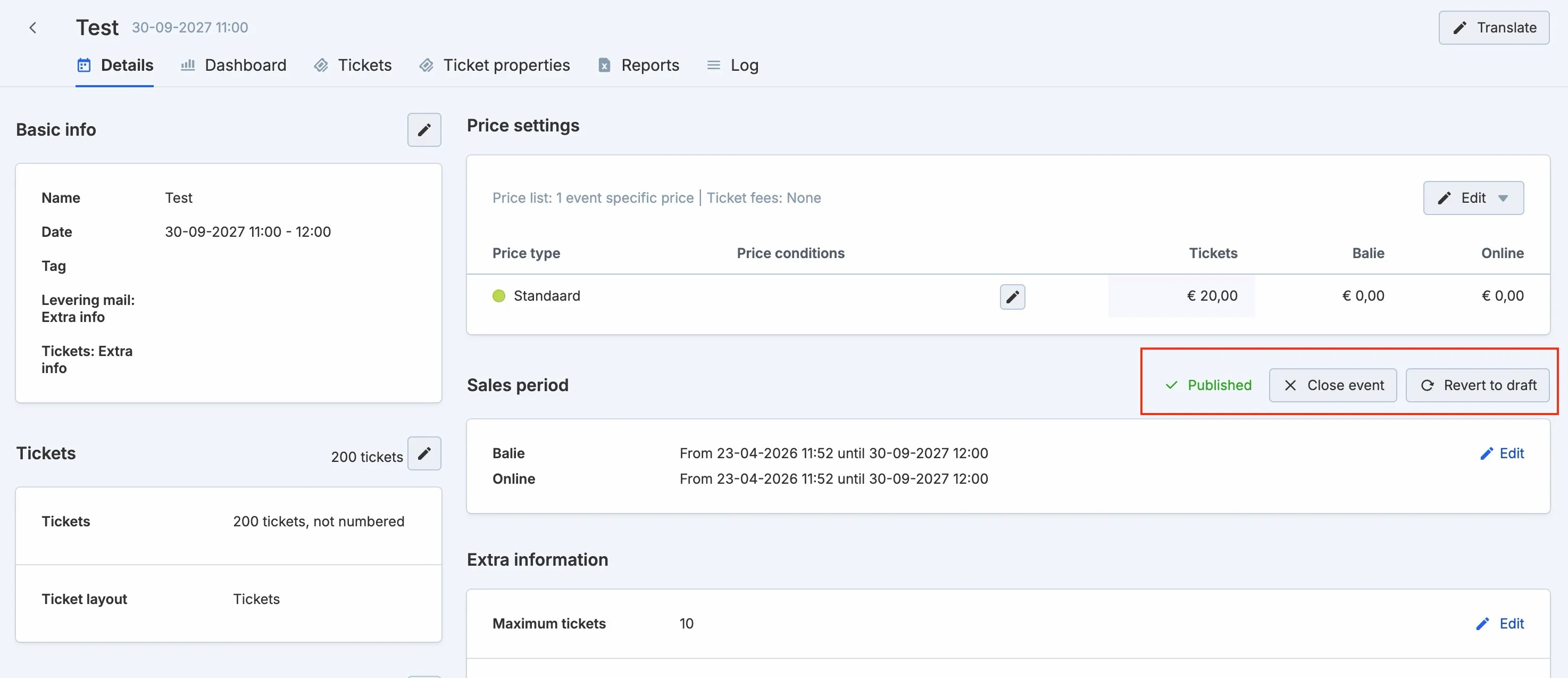
In ticketmatic, every event has a status. There are three possible statuses: Draft, Published, and Closed. You always change the status manually in the event screen.
Need to update the status of multiple events at once? Select the desired events in the list view and choose the appropriate option via the Actions button.
Status overview
- Draft When you create a new event, it automatically receives the Draft status. In this phase you build the full event configuration step by step.
- Published (Active) An event can be published once the basic information, tickets, and prices are fully configured. Click the blue Publish button to make the event active. From that moment, the sales links become visible at the bottom of the event page.
- Closed Close an event as soon as it is over and all orders are marked ‘Paid’. This finalises the event correctly in the system.
Why close events?
Properly closing events has several key benefits:
- Verify payment status An event can only be closed when all orders for that event have the payment status Paid. Doing this consistently avoids amounts remaining on the holding account and prevents accounting issues.
- Clean up your account Items such as price types, price lists, or locks can only be deleted if they are not linked to active events. Closed events therefore provide more flexibility when managing your account.
- Limit box-office staff actions Closed events are no longer visible or editable for box-office staff, preventing mistakes such as accidentally adding or removing tickets for events that have already ended.