Editing events
How do I edit an event in draft or after publication?
You can always adjust an event’s content and basic details, even after ticket sales have started. However, certain changes are only possible when no tickets have been sold yet and the event is either in Draft or published without sales.
In that case you can perform the following actions:
- Change the seating plan
- Switch between seated and unseated sales
- Add or remove a block template in the seating plan
If the event is already published, make sure that no sales have taken place.
Changing an already published event
Open the event in question and click Published at the top right. Then choose Revert to draft status. The event is now set to Draft, after which you can follow the steps for editing a draft event.

Reverting one or more events to draft status
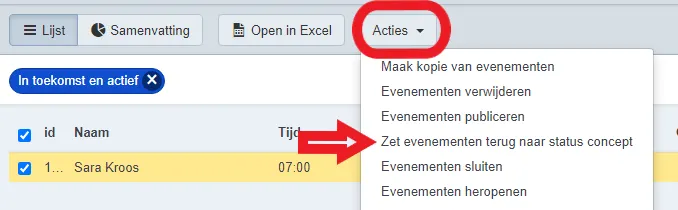
You can also revert one or several events that have not yet recorded any sales back to Draft in one go. Select the desired events and click Actions, then choose Revert events to draft status.
Editing a draft event
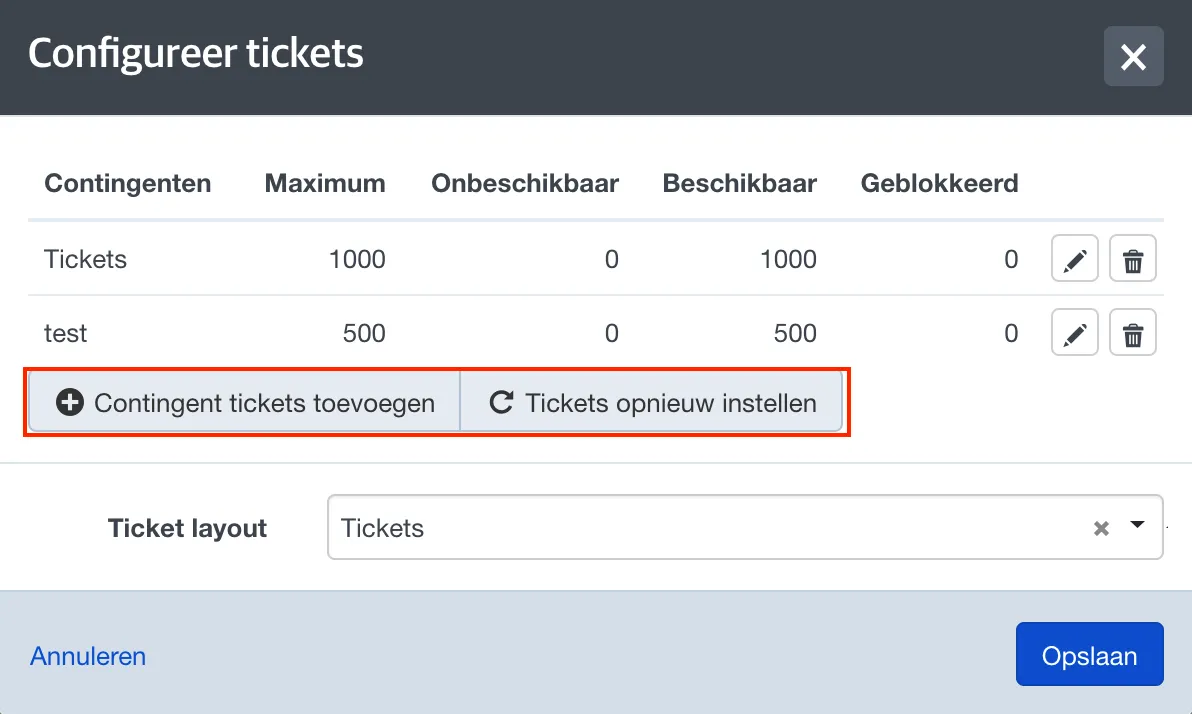
Open the event and, in the tickets block, click the pencil icon.
Next, select Reset tickets.
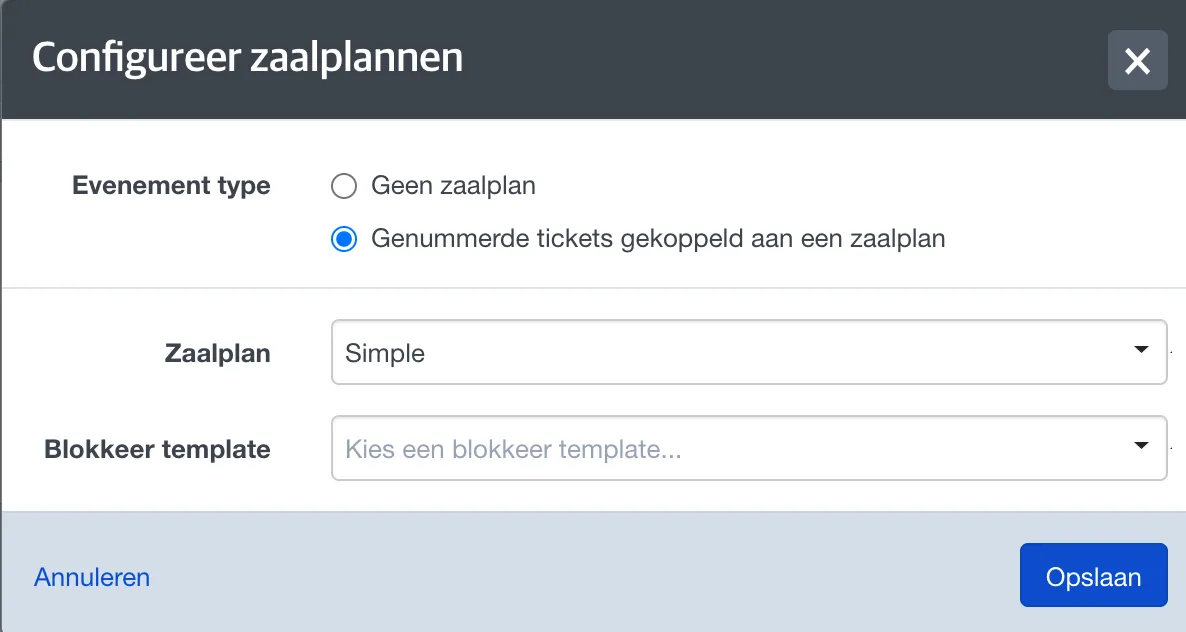
You can now switch to a different seating plan, toggle between seated and unseated sales, or re-apply a block template.
Afterwards, you can (re)publish the event for sale.
If you link a different seating plan to the event or convert it from unnumbered to numbered (or vice versa), you will also need to reconfigure the prices.