Useful filters and views
Below you will find some filters and views to check which tickets have been forwarded via the app and to whom.
Filter under Contacts: Has received a transferred ticket via app
This filter lets you see at a glance which contacts have received a ticket forwarded via the app.
How to use it:
- Go to Contacts
- Click on the 'Has received a transferred ticket via app' filter.
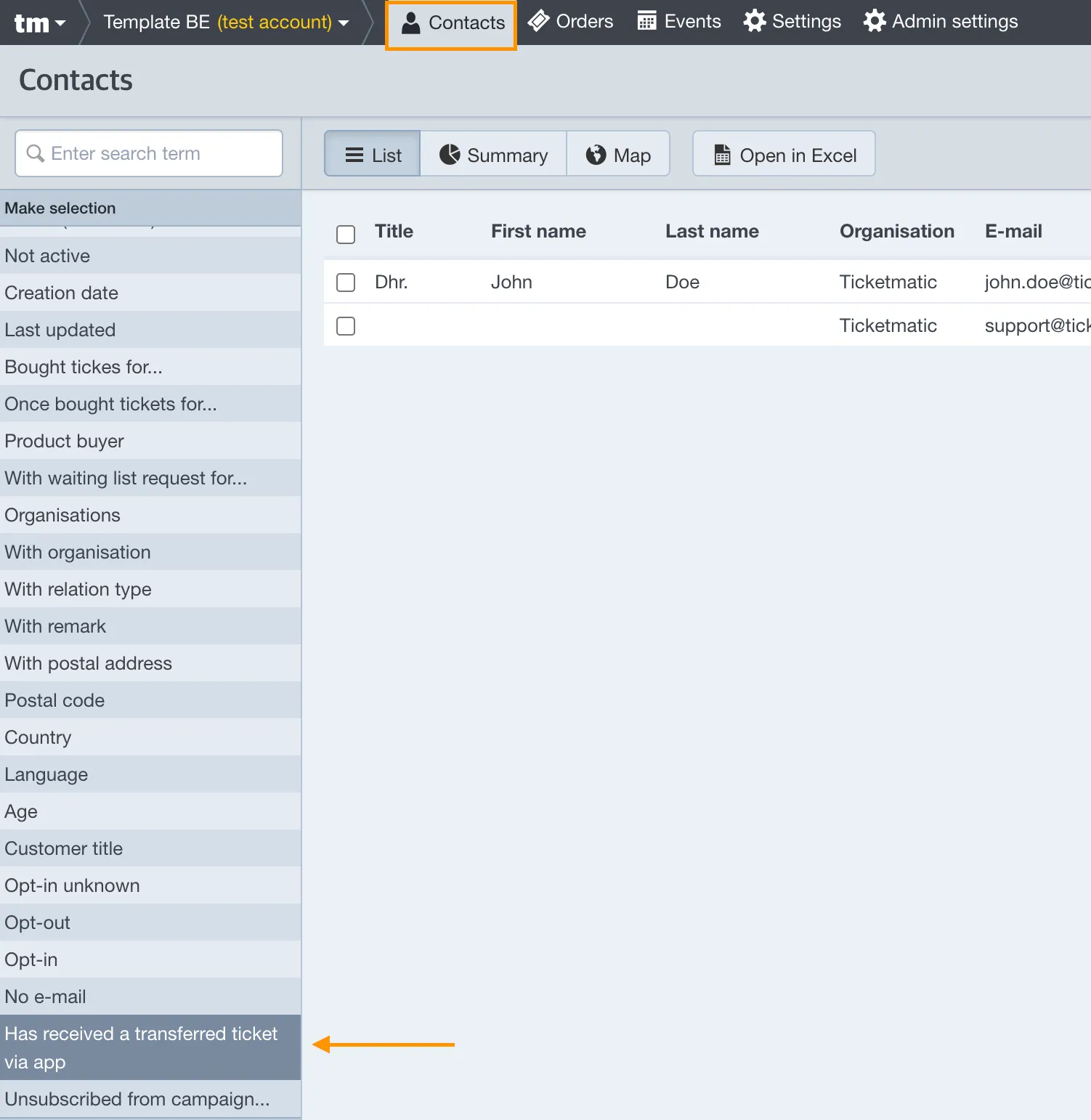
- Select the desired event.
→ You get an overview of all contacts who have received tickets for this specific event.
Filter under Events: Ticket transferred via app
This filter allows you to view all tickets that have been forwarded via the app to another email address for a given event.
How to use it:
- Go to Events.
- Click on the event you want to view.
- Go to the Tickets tab.
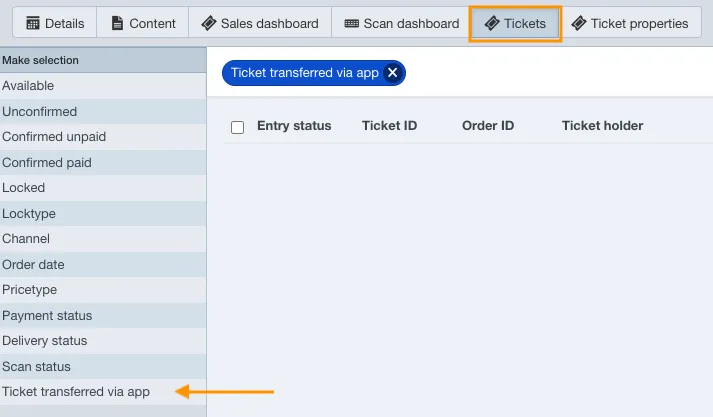
- Click on the 'Ticket transferred via app' filter.
→ You will immediately see which tickets have been forwarded.
Column view: Ticket transferred to
In the ticket view, you can add an extra column: 'Ticket transferred to.' This column displays the email address of the recipient of the forwarded ticket.
To add the column:
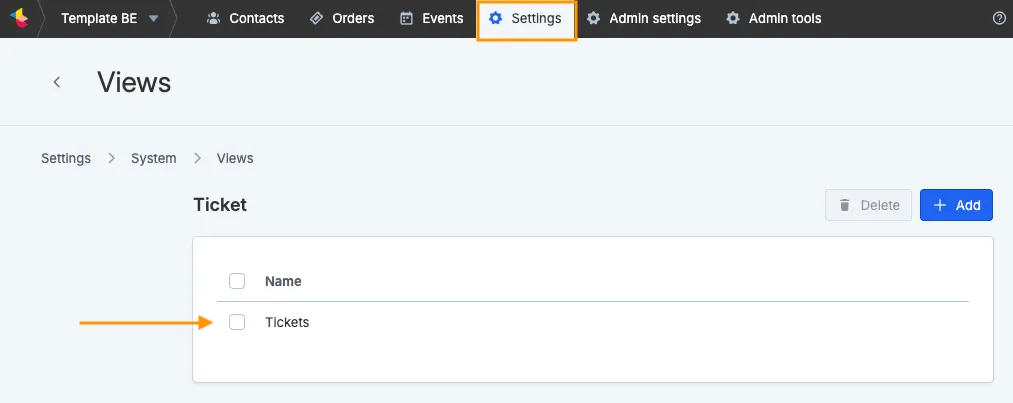
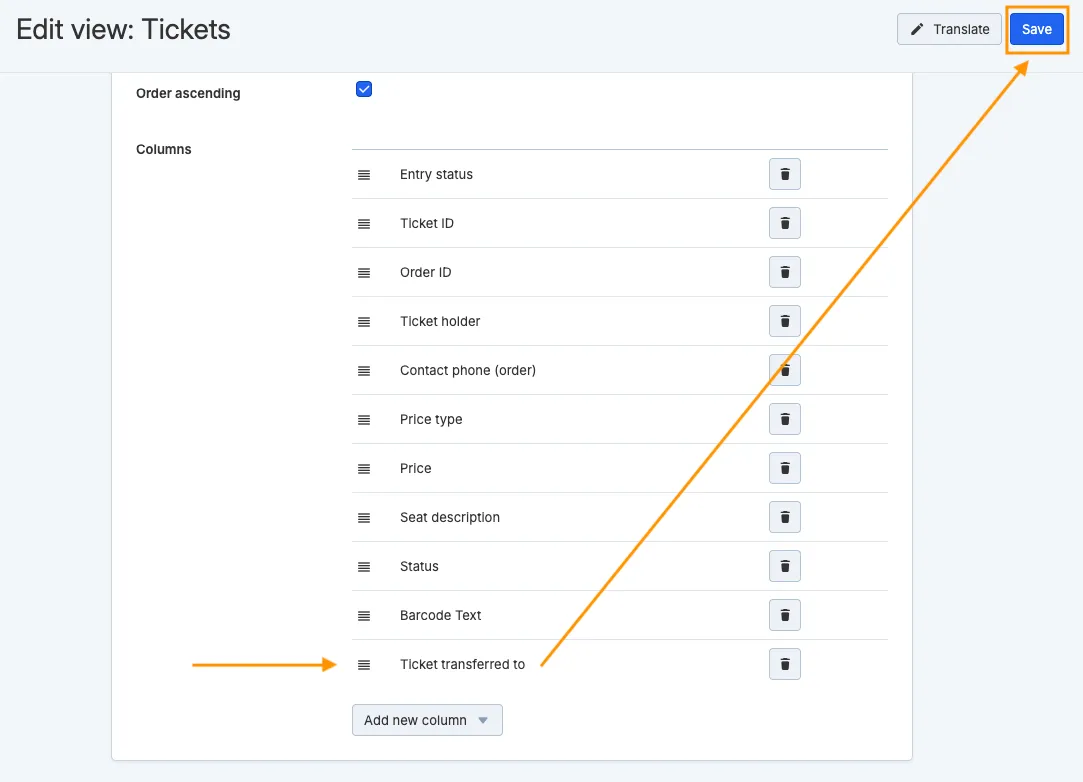
- Go to Settings → Views → Ticket.
- Click on the desired view (often called 'Tickets').
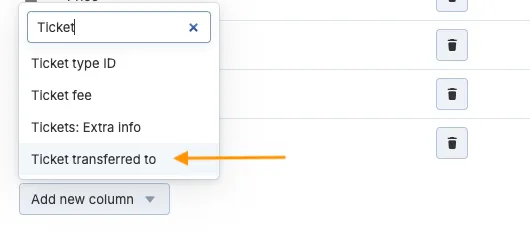
- Add a new column called 'Ticket transferred to' (selectable from the list).
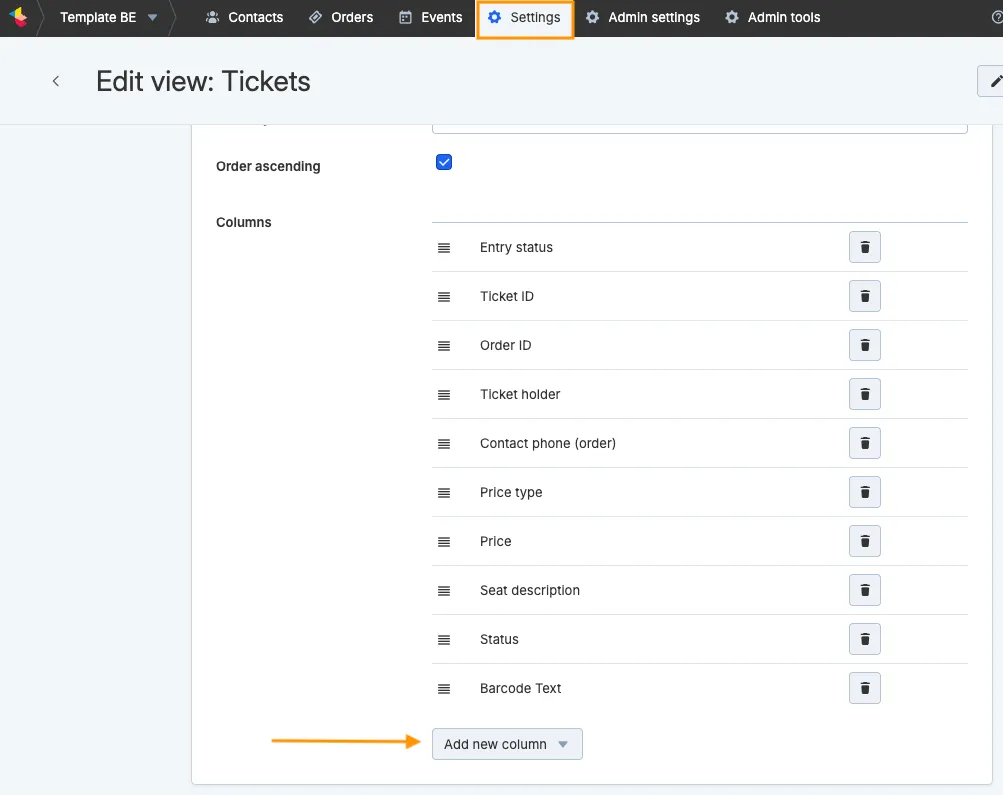
- Save your settings.
To use it:
- Go to Events.
- Click on the desired event.
- Go to the Tickets tab. You'll now see an extra column with the email addresses to which tickets for that specific event have been forwarded via the app.

PS: This column is only filled with known contacts – these are people who have actually downloaded the ticketmatic app. As long as the recipient hasn’t downloaded the ticketmatic app, the column will remain empty for that email address.