Automatic order emails
How can I set up and send automatic order emails?
In ticketmatic, it is possible to automatically send order emails based on various order characteristics. Below are some common use cases:
Based on the payment scenario
Send payment instructions after order is created
An email with payment instructions is sent when the order is created. This is useful, for example, when someone wants to receive a payment link via email.
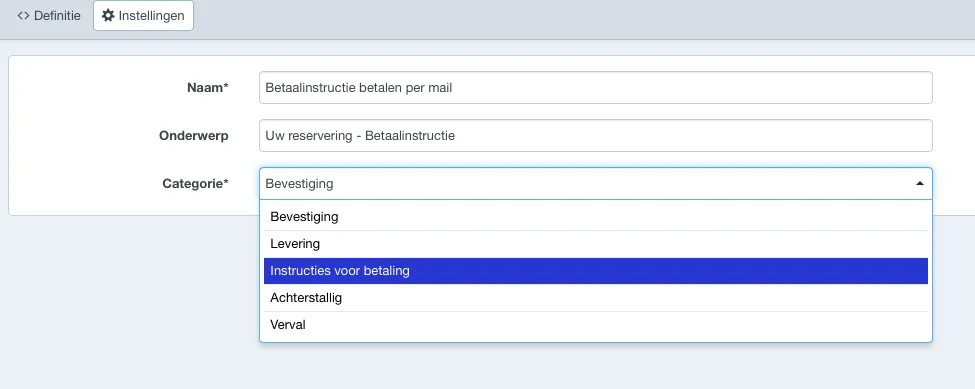
To set this up, create an order email template of the type Payment instructions.
Link this email template to the desired payment scenario via Settings → Payment scenarios.
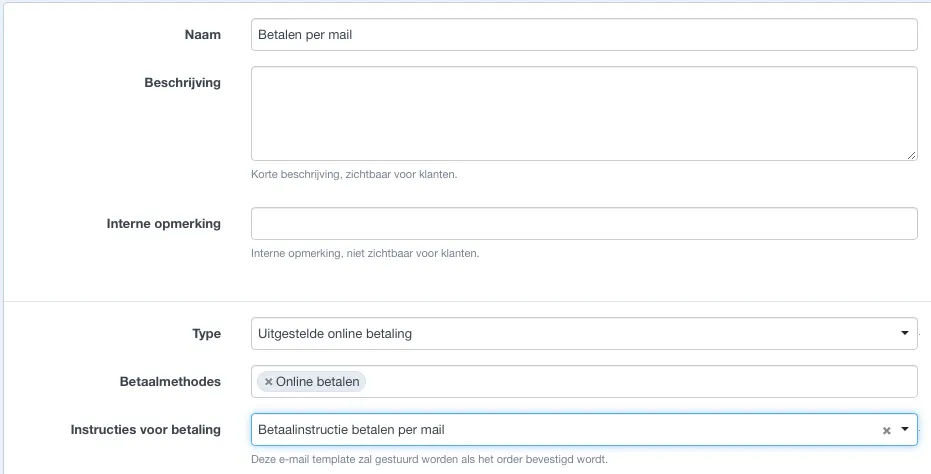
The email with payment instructions will only be sent if there is an outstanding balance
It is also possible to automatically follow up unpaid orders by sending reminder emailsand letting the order expire. More info can be found under Deadlines for deferred payments.
Based on the delivery scenario
When creating an order, it may be necessary to automatically send a delivery email. Below are some examples:
Send e-tickets after payment
The tickets will be sent by email as soon as the payment is recorded.
The delivery scenario must be configured as follows:
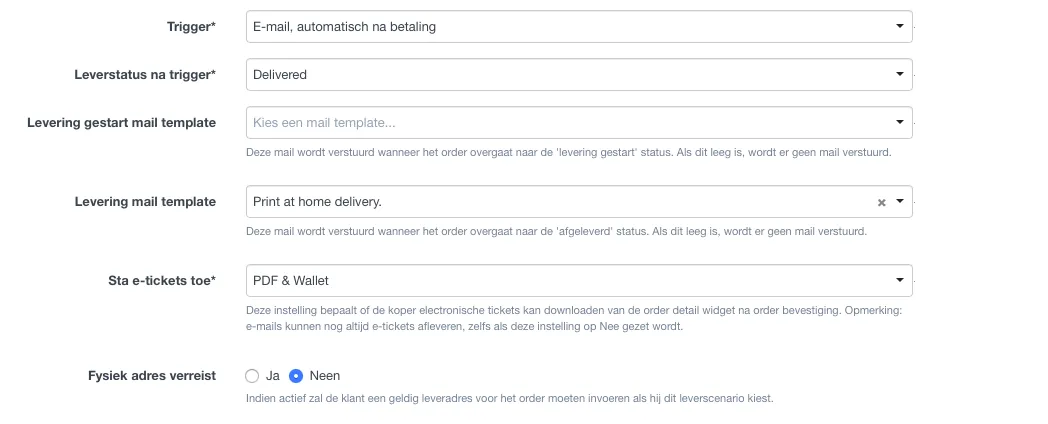
The linked order email template must be of type Delivery. After the payment is recorded, the email will be sent and the order will receive the 'Delivered' delivery status.
Send order confirmation without immediately delivering tickets
If a customer chooses to receive tickets by post, a confirmation email should be sent after payment, but the order should not yet be marked as 'Delivered'. The box office employee still needs to print and prepare the tickets for shipping.
You can use the same method to send a confirmation email for tickets to be picked up at the box office
The delivery scenario must be configured as follows:
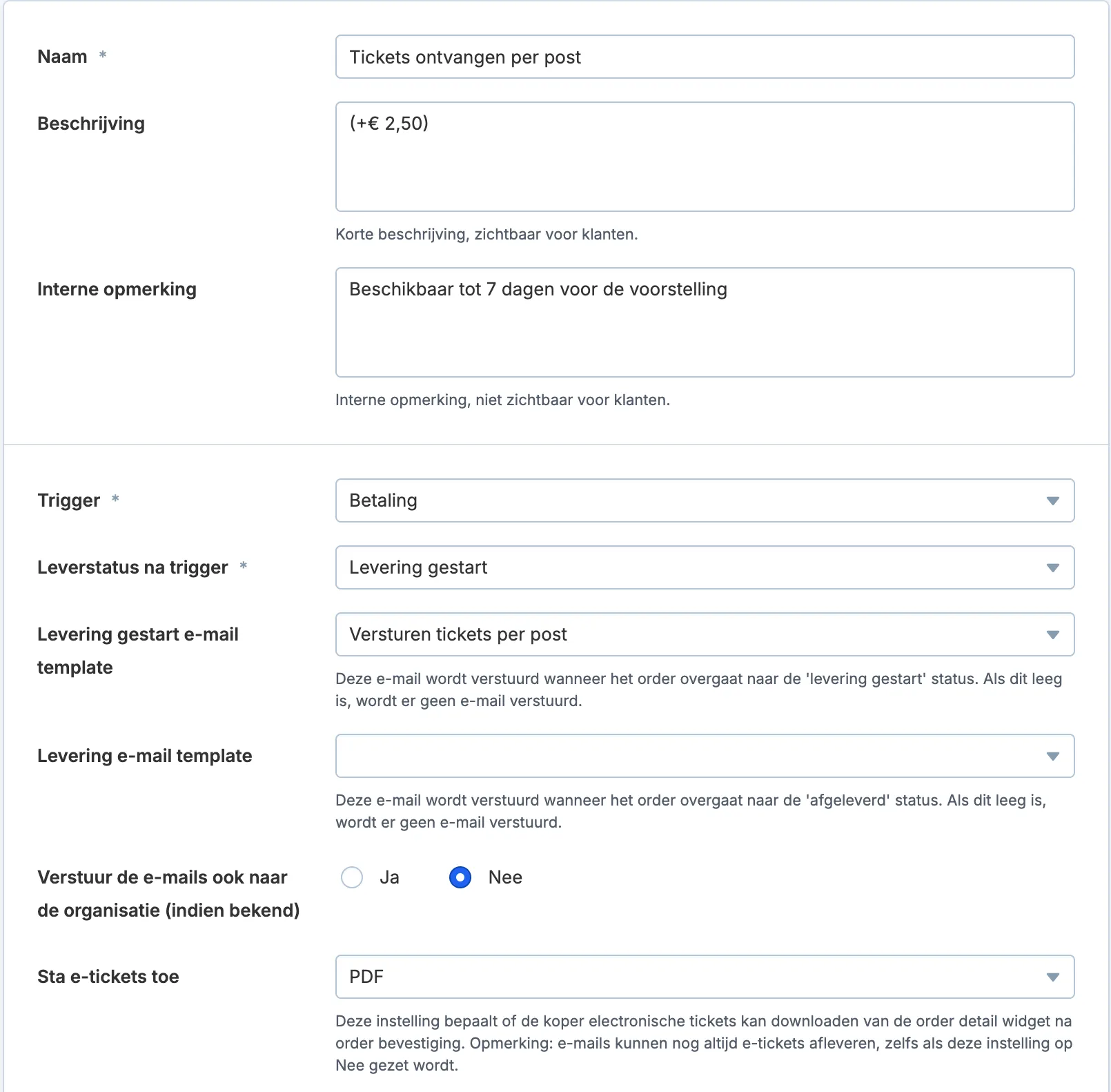
The linked email template must be of type Delivery. After payment is recorded, the email will be sent, but the order will have the status 'Delivery started'.
The delivery status will only change to 'Delivered' once the tickets have actually been printed.
Based on the sales channel
It is also possible to assign a default order email template for orders created via a specific sales channel. This template must be of type Confirmation.
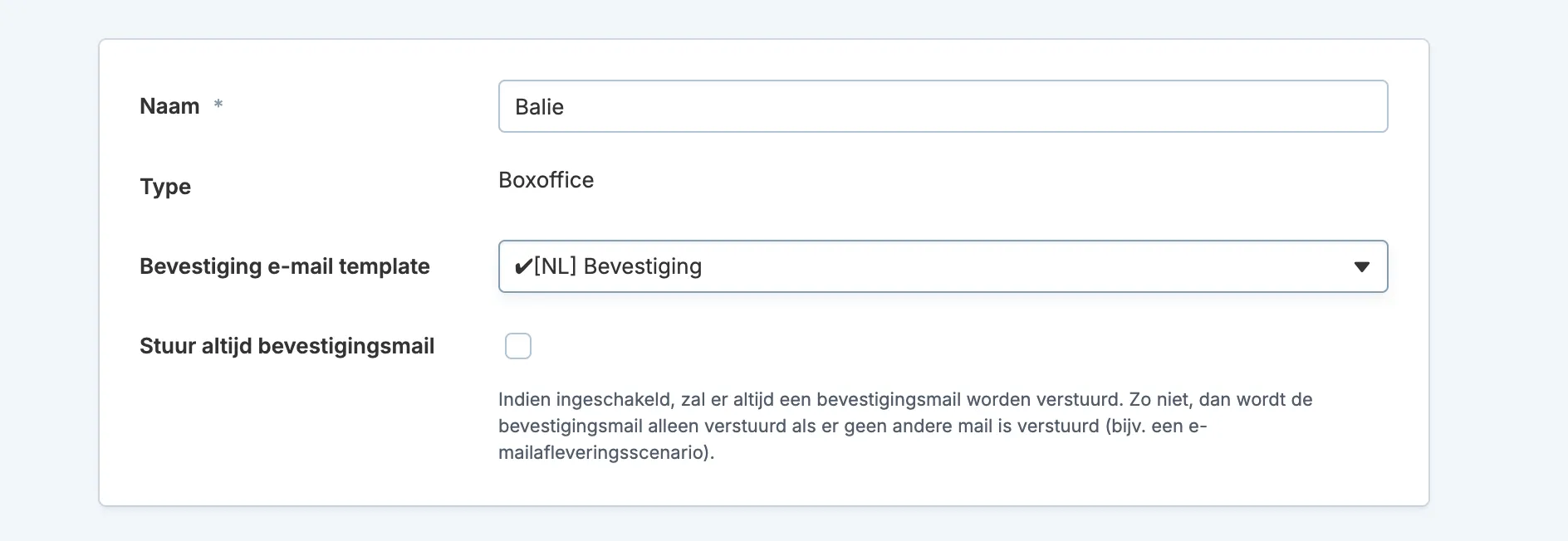
This email will only be sent if no other order confirmation has been sent, unless you check the option Always send confirmation email.