Managing locked tickets
How do I manage locked tickets in an event?
In ticketmatic you can lock and release tickets, giving you full flexibility to adjust the number of available tickets and increase or decrease venue capacity.
You configure these locks in the seating plan. For unnumbered events this is managed via the ticket settings.
You have 2 types of blockings:
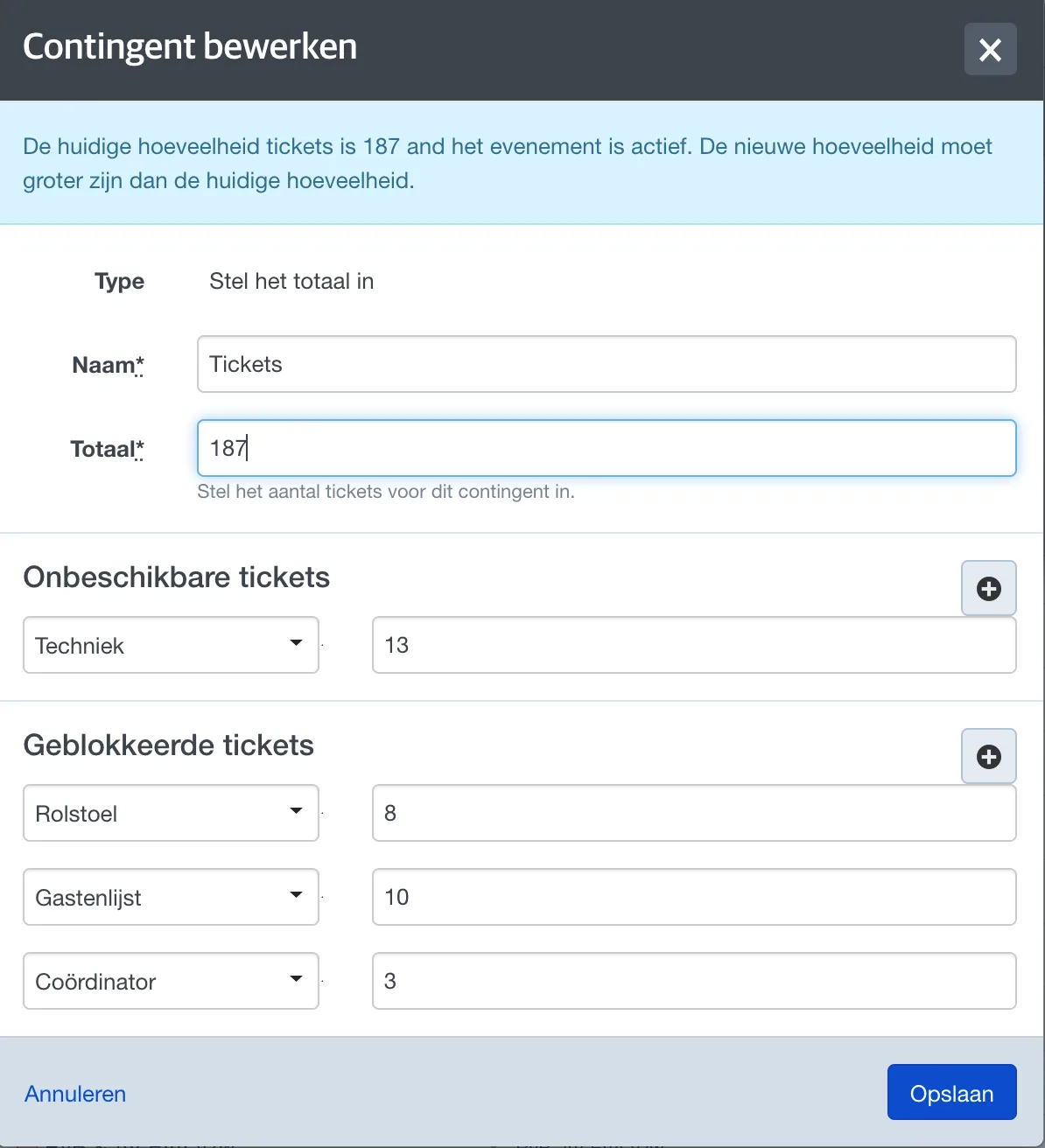
- Blocked: These tickets are not available for online sales but can still be sold at the box office. They are still counted towards the venue capacity.
- Unavailable: These tickets are completely excluded from sales, both online and at the box office. They are not counted towards the venue capacity.
Events with a seating plan
Within the event, go to the Seating plan tab.

You will see an overview showing the number of available, sold and locked tickets.
To block or unblock additional seats, click Seat actions --> Lock seats or Unlock seats.
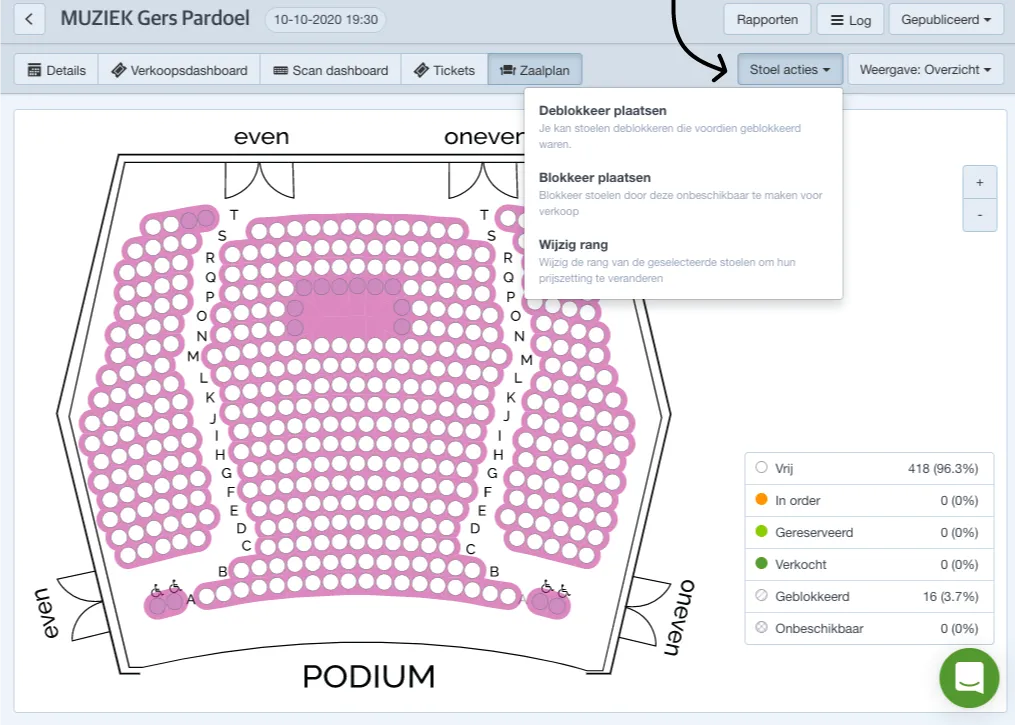
If you want to lock seats, first choose the appropriate lock type (more information about creating lock types can be found in Events).
Next, brush over the seats you wish to hold and confirm by clicking Finish to save your changes.
You can increase or decrease the brush size in the top-right corner.
Unlocking seats works in the same way: brush over the seats whose lock you want to remove.
Events without a seating plan
Open the event and go to Tickets.
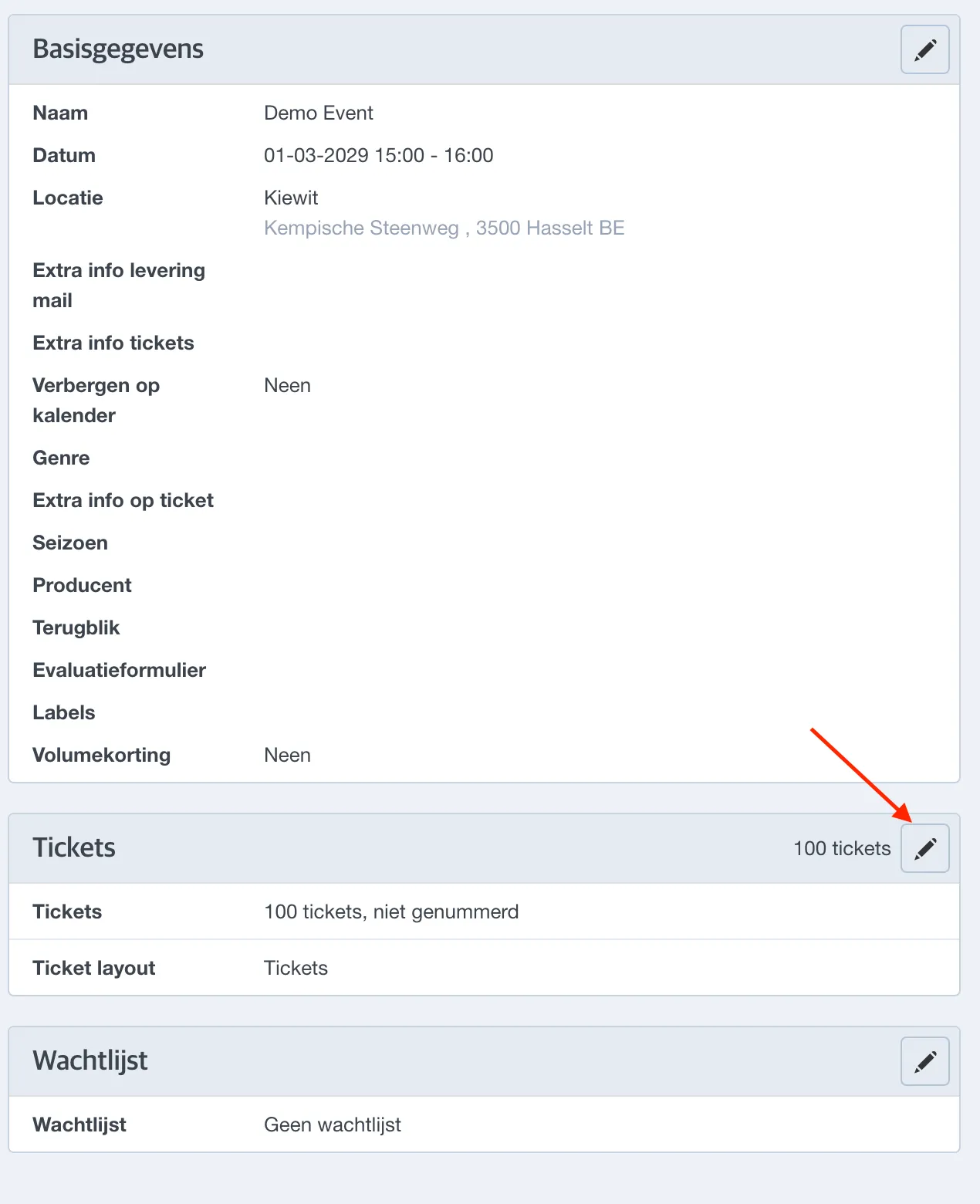
Then click the pencil icon to edit the current quota.
At the bottom you can adjust the number of unavailable and/or locked tickets.
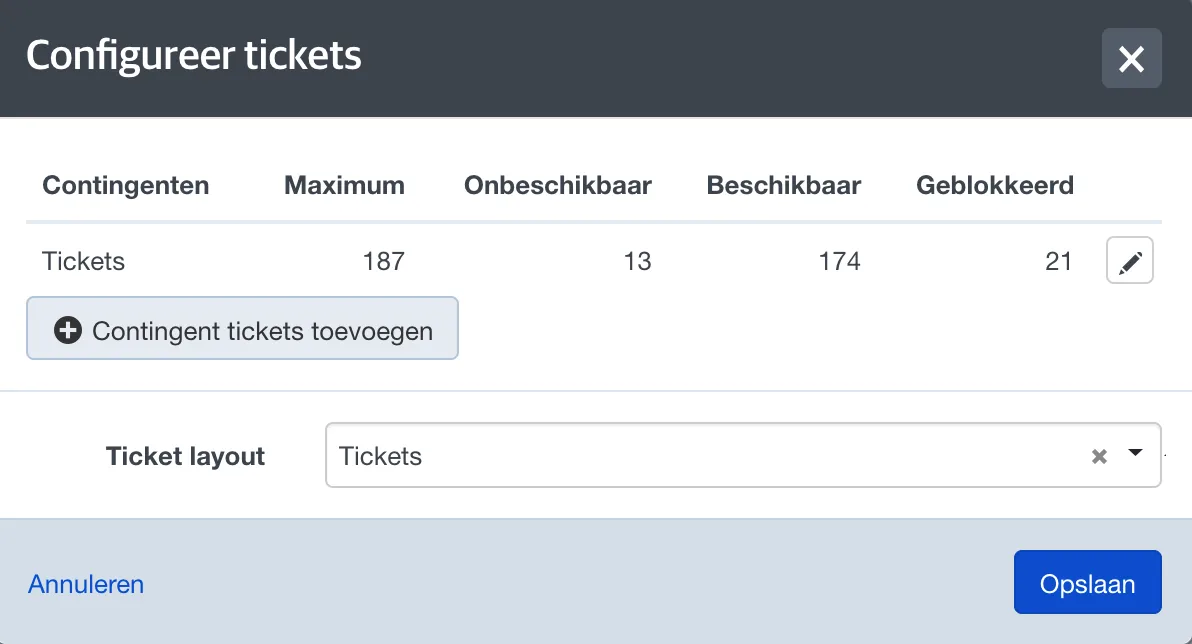
Tickets marked locked can still be sold at the box office, whereas unavailable tickets cannot.