Setting up a queue for an expected sales peak
How can I set up an event-specific queue for an expected sales peak?
Ticketmatic offers advanced capabilities for handling peak sales. At all times, a rate limiter is active on your account that protects your ticket sales from unplanned or sudden peaks. The rate limiter makes sure your ticket sales will be operational even under unplanned high load. When the limit is reached, buyers will automatically be put in an orderly queue (first-come, first-served) and will be able to proceed as soon as capacity becomes available.
Additionaly, you can define queues for planned peak sales. To ensure a smooth and fair sales process during an anticipated sales peak, you can create an event-specific queue. All buyers are placed in the queue and assigned a random number when sales begin, so everyone has an equal chance of obtaining tickets. Therefore, joining the queue early does not offer any advantage.
The configured queue sales start time must be exactly the same as the time the event goes on sale online (i.e., as set at the event level for the relevant web sales channel).
When event sales start, the first buyers are randomly admitted to begin their purchase process. Buyers who join the queue after sales have started are added on a ‘first come, first served’ basis. They can begin their purchase as soon as capacity allows.
Setting up the queue
- Go to Settings --> Queues
- Click Add in the top right
- Enter the name, desired capacity, and sales start time, then click Save
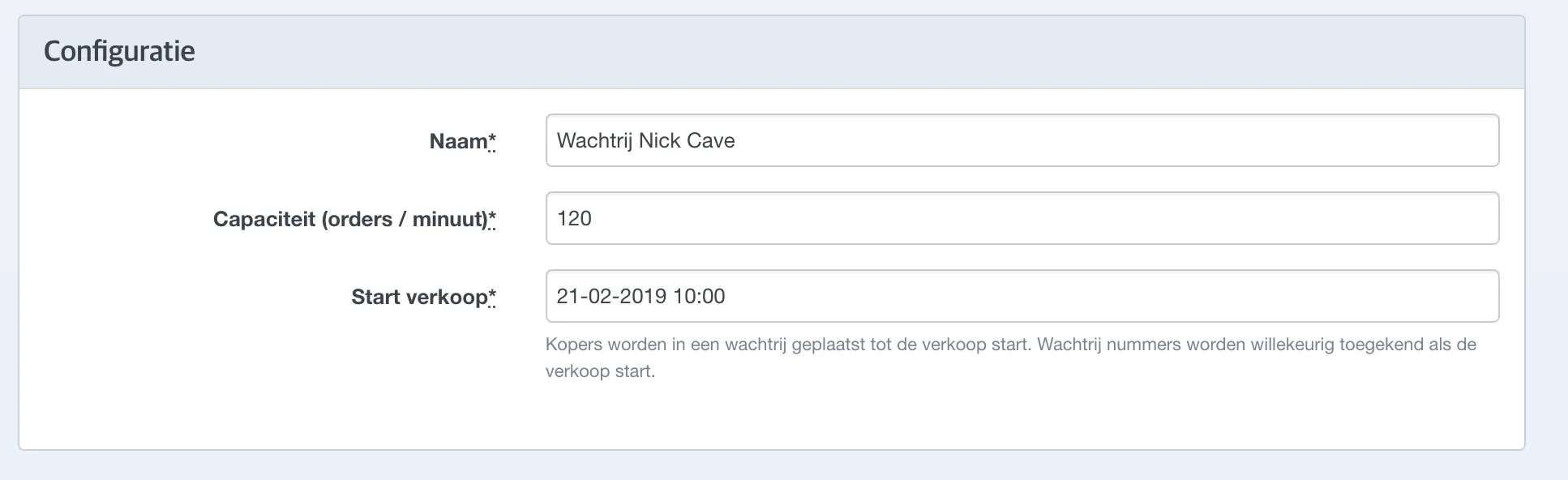
It is recommended to set the queue capacity to 60 orders per minute. Even if this limit is, for example, set to 40 orders per minute, all customers will still have to wait in the general queue. During a major sales peak, all customers will be placed in the general queue to ensure the stability of ticketmatic.
Next, link the desired events to the newly created queue, and the queue is ready for use.

Managing the queue
During the sales peak, you can adjust the queue capacity. The queue can also be paused. This may be useful if all tickets are sold, but not yet all paid for.
Waiting message
The waiting message can be used to communicate with visitors in the queue; any changes to this text are displayed in real time.
Graph
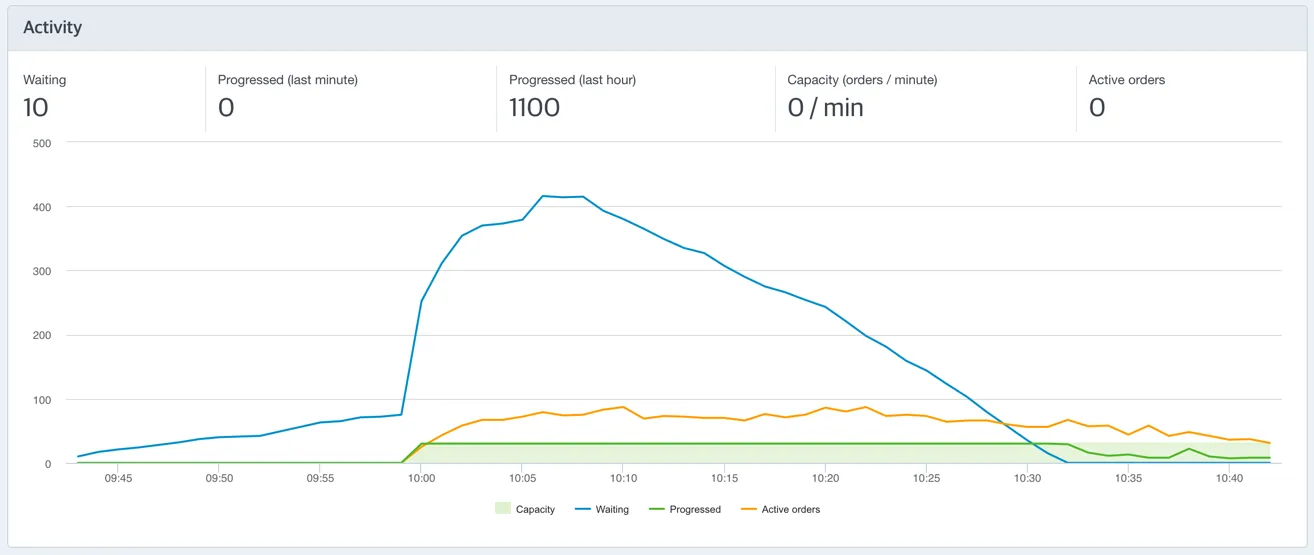
When the queue is active, a real-time graph will display the number of people waiting and the progress of visitors on the sales pages.
In the graph, you see for the last hour:
- Capacity: the limit on the number of order per minute that are allowed
- Waiting: the number of buyers waiting in the queue at a certain moment
- Progressed: the number of buyers that were allowed access to the ticket sales page at that moment
- Active orders: the number of orders that are created but not yet confirmed at that moment