Assigning Relationship Types
How do I assign a Relationship Type to a customer?
Assigning Relationship Types to a Customer
There are two ways to assign a relationship type to a customer:
- Individually via the contact.
- Via bulk actions at the contact level.
Assigning a Relationship Type to an Individual Contact
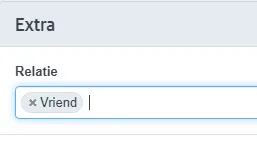
Open the contact and choose Edit or create a new customer. At the bottom right, you will find the Extra section. Here you can assign one or multiple relationship types.

Assigning a Relationship Type via a Bulk Action
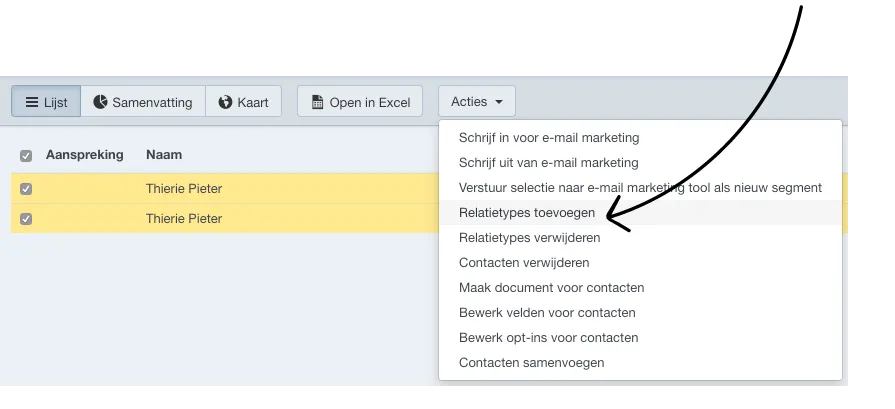
Open the list view of Contacts and select at least one contact in the list to which you want to assign a relationship type.
Then go to Actions - Add Relationship Types.
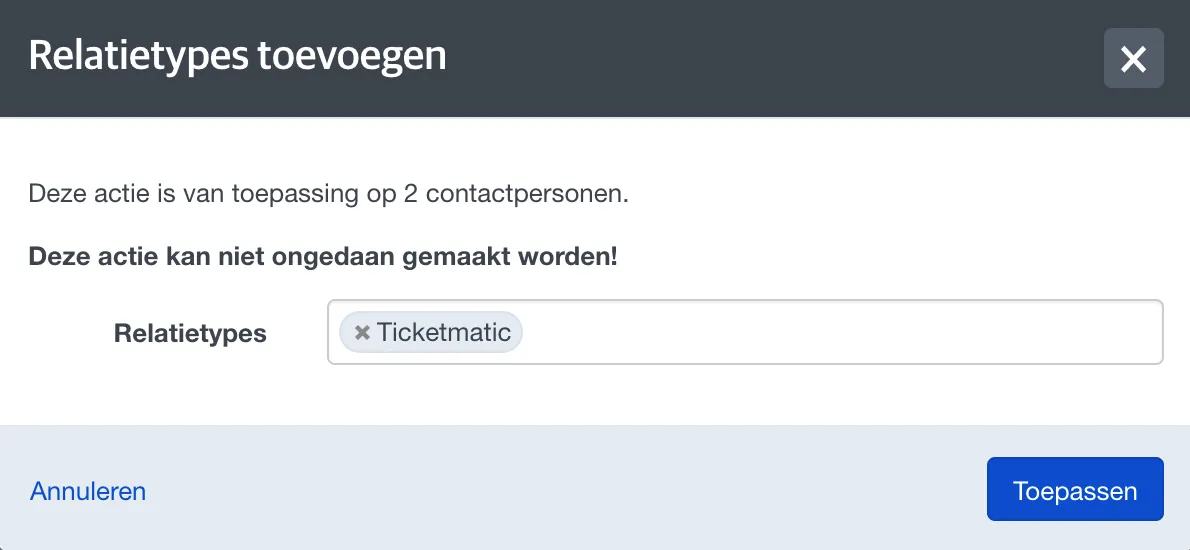
Select the relationship type(s) you want to assign and confirm by clicking Apply.
In the same way, you can also remove the relationship type for a selected number of contacts in a bulk action by going to Actions and choosing Remove Relationship Type.