Correcting a Mollie bank transfer
How can I modify a Mollie payment request after it has already been sent?
In certain cases, you may need to correct a Mollie bank transfer payment request after the payment instructions have already been sent. The following scenario explains how this works.
Viewing the information
When you confirm an order using the bank transfer via Mollie payment scenario, the payment instructions are automatically sent by email.
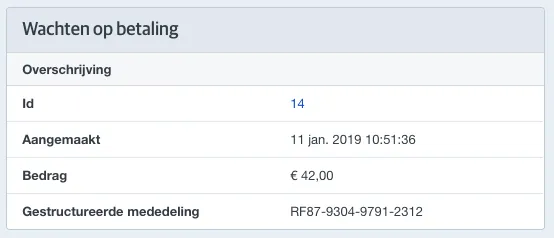
From then on, you'll find more information about the requested transfer from Mollie on the right side of the order.
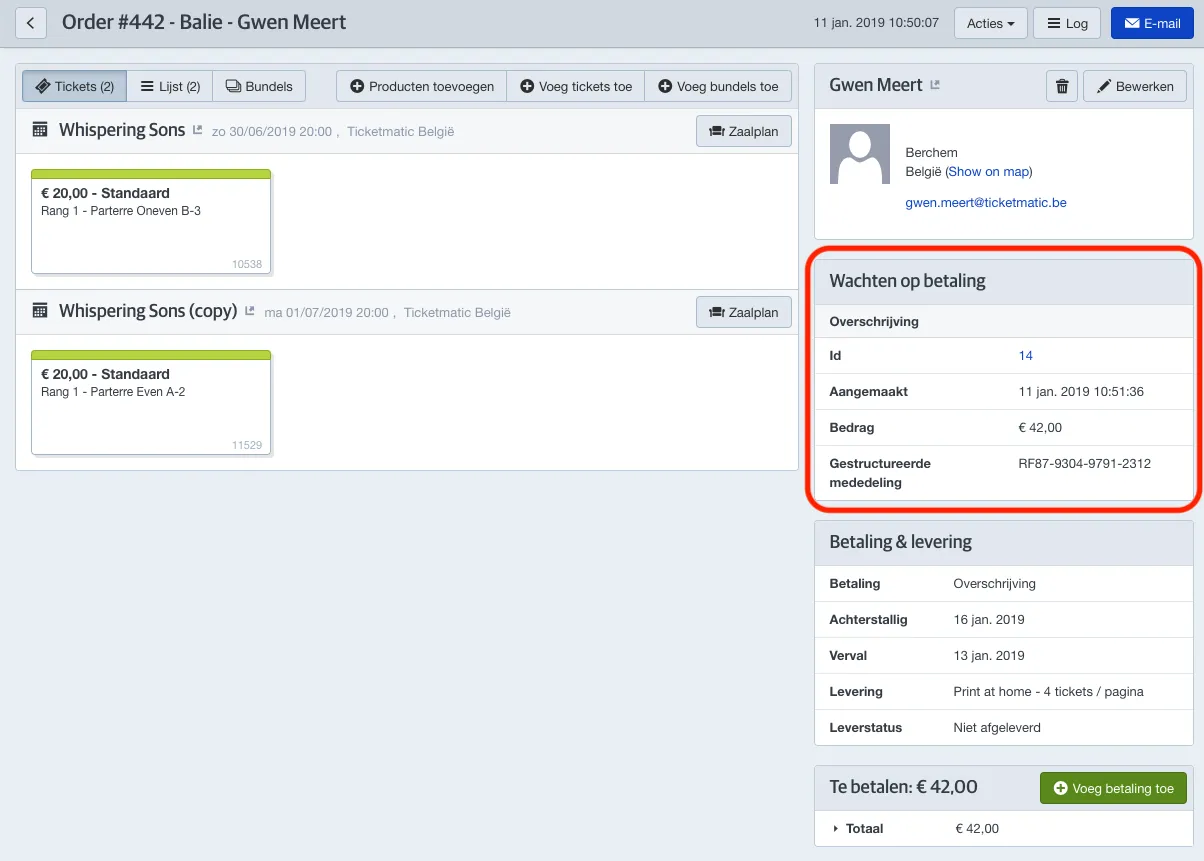
This information includes the creation date of the payment request, the requested amount, and the structured communication Mollie expects to receive.
Correcting the payment
If the order has not yet been paid and you make changes that alter the amount due, the requested amount at Mollie will no longer match the amount you intend to receive.
In this case, you will see a message indicating that the outstanding amount differs from the total of the open payment requests at Mollie.
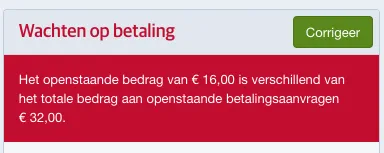
Click the green Correct button to adjust the open request.
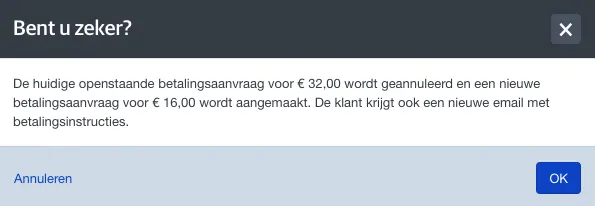
A new email with updated payment instructions will be sent automatically.
The customer must always follow the most recently sent payment instructions.
If the customer transfers the new amount using the old instructions, Mollie will not be able to match the payment. In that case, the full amount will be refunded to the customer.