Managing unconfirmed orders
How can I find and open an unconfirmed order?
When a new order is created but not finalized, it is temporarily saved as an unconfirmed order.
There are several ways to find and open unconfirmed orders. As long as they’re not confirmed, they won’t appear in the list view of confirmed orders.
Below are the different methods to access and edit unconfirmed orders.
Via the Orders section
The first method is via Orders → Actions → Show unconfirmed orders.
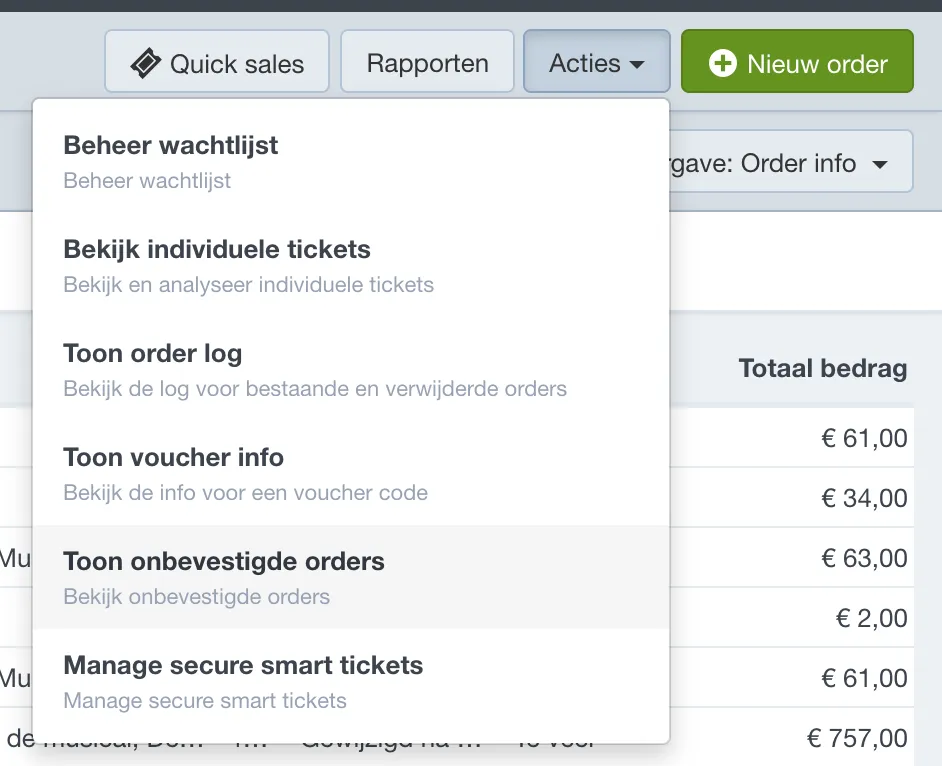
You’ll then see a list of all unconfirmed orders. Orders created via the back office are marked with an eye icon in the right column — click this icon to open the order.
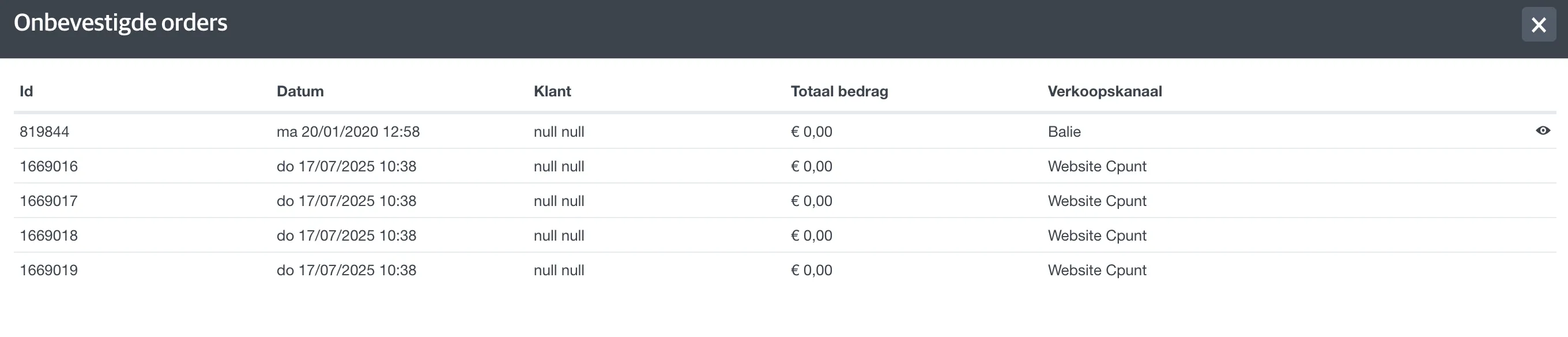
Orders created online can’t be opened directly. First, copy the order ID from the first column.
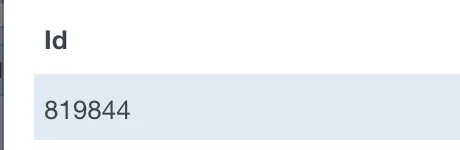
Then open any confirmed order, and in the browser URL, replace the current order ID with the one from the unconfirmed order. Press Enter to open it.

Only payment and delivery scenarios available for web orders will be shown in this view.
Via the contact page
If the customer has already linked their contact info to the order, you can also open the order via the contact profile.
Use the search bar in the Contacts module to find the customer and open their contact page.
Then go to Log → Orders and open the most recent one from the list.
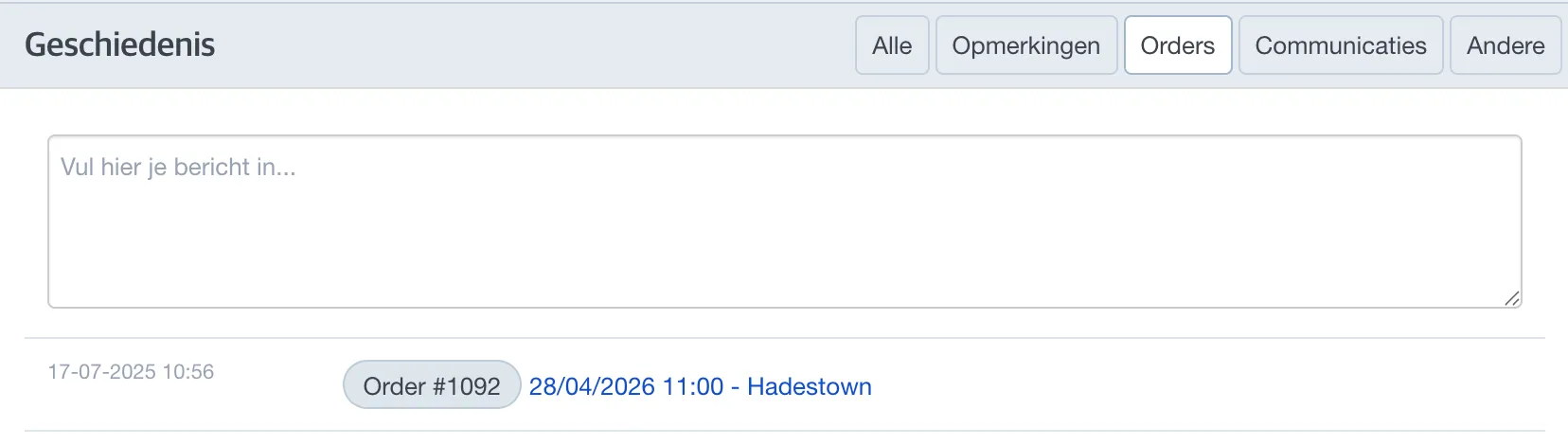
Via the event
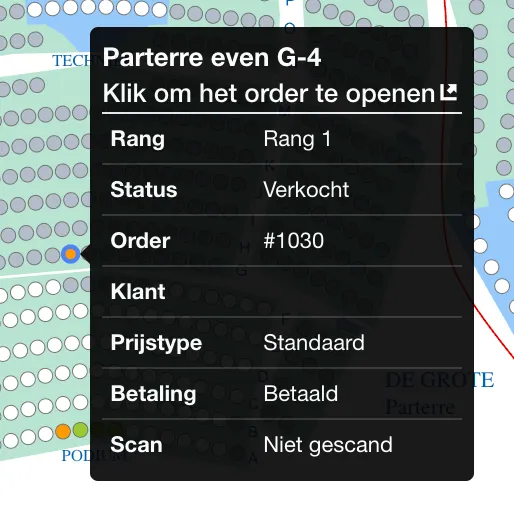
If the order includes tickets for an event with a seating plan, you can open the unconfirmed order via Events → Open the relevant event → Seating plan.
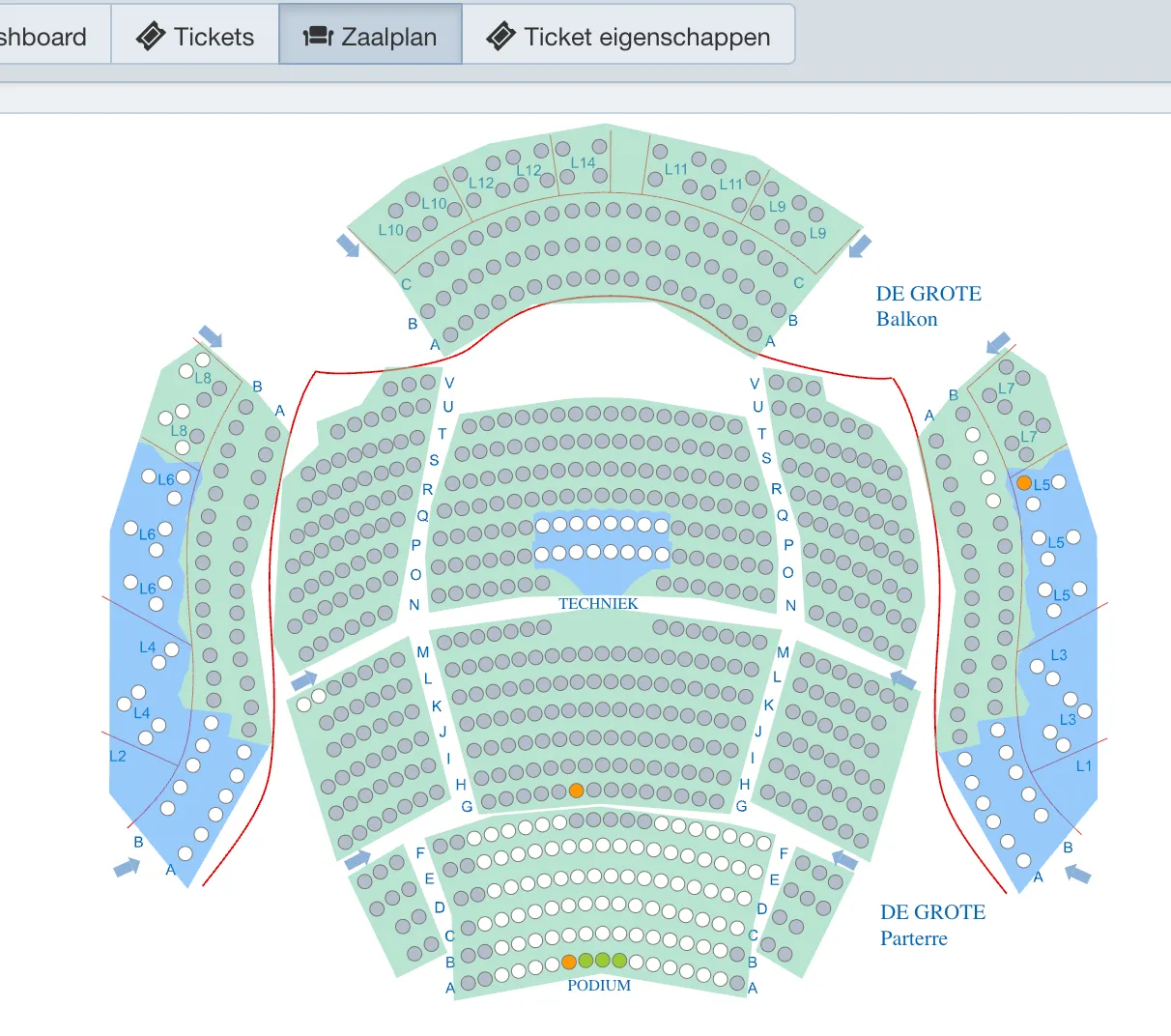
In the seating plan, unconfirmed tickets are shown in orange. These are still in the customer's online shopping cart.
Hover over the orange seat until the order info appears, then click the seat to open the order.