Splitting orders
How can I split an order?
If you want to split an order — for example, because part of it requires a different payment and/or delivery scenario — you can do this by selecting Split order in the order actions.
This allows you to move part of the tickets or products into a separate order, so each part can be handled independently.
Splitting the order
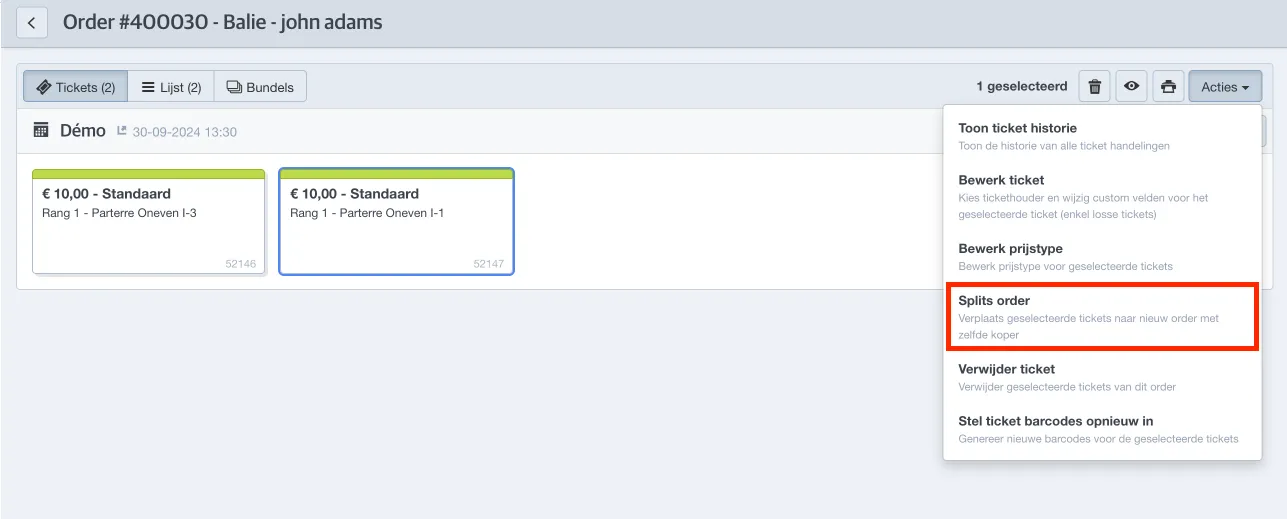
Open the order you want to split, select the tickets or products to move, and go to Actions → Split order.
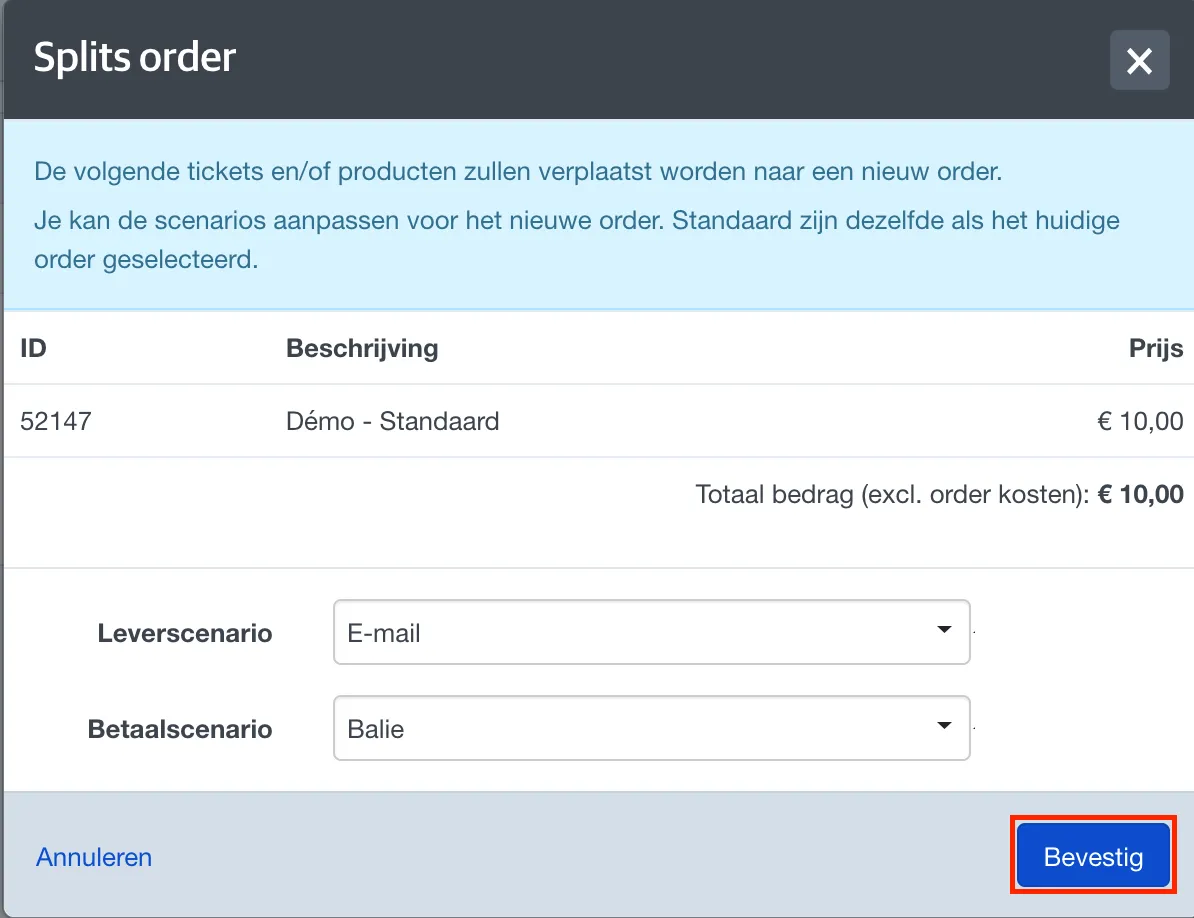
The next screen shows the contents of the new order and lets you define the delivery and payment scenario. Click Confirm to split the order.
The new order will be created. Click OK to open it.
Returning to the original order
To return to the original order, open the order log.
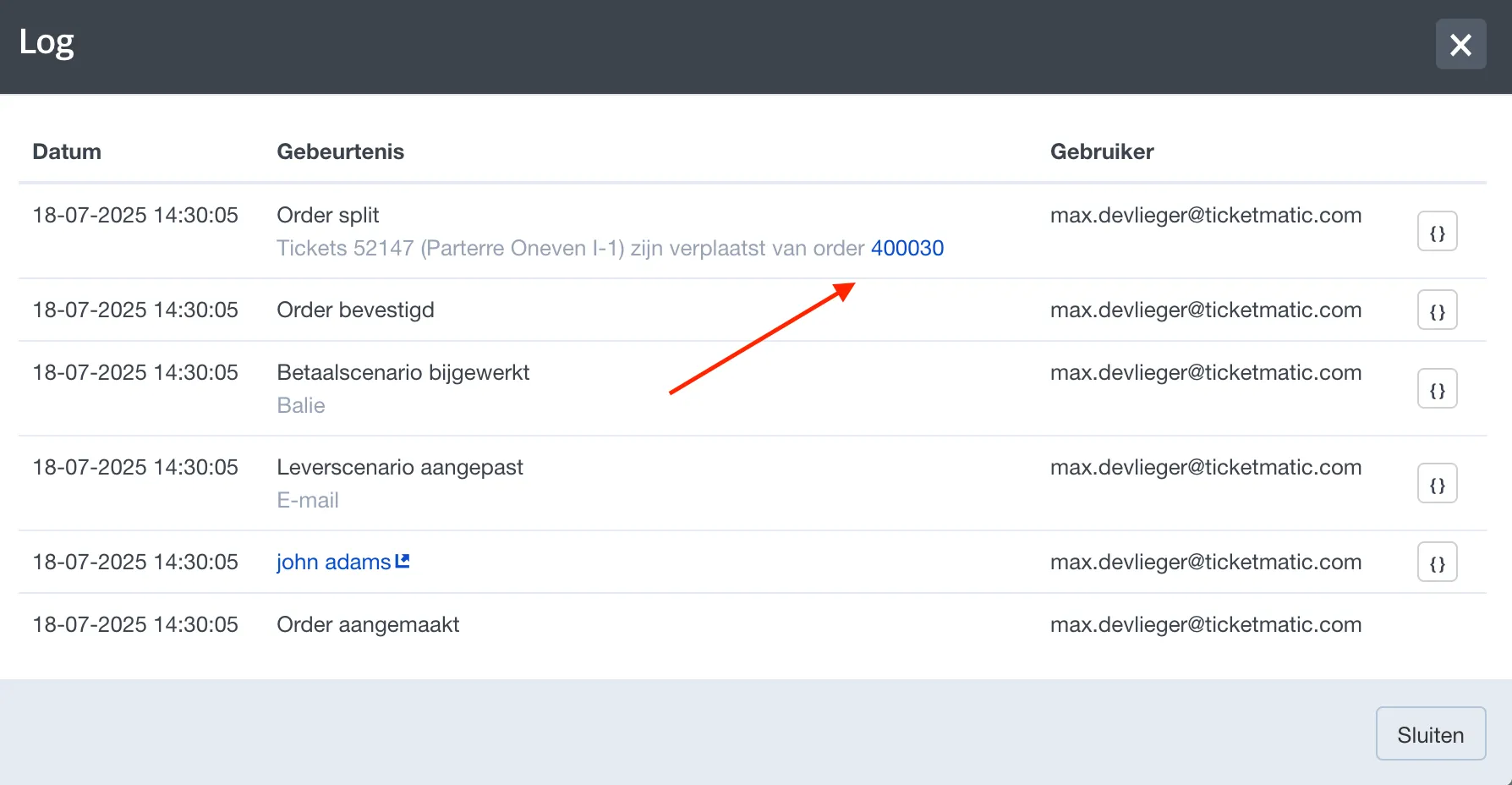
Then click the order number link to reopen it.