Viewing ticket history
How can I see what happened with a ticket?
In ticketmatic, you can view the history of a specific ticket or seat. This can be done either from the seating plan of a performance or directly from the order.
Viewing ticket history from the seating plan
Go to the event’s seating plan and click on the seat for which you want to view the history.
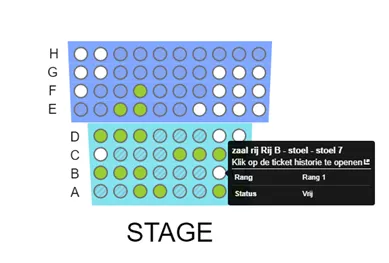
The ticket history for that seat will then be displayed.
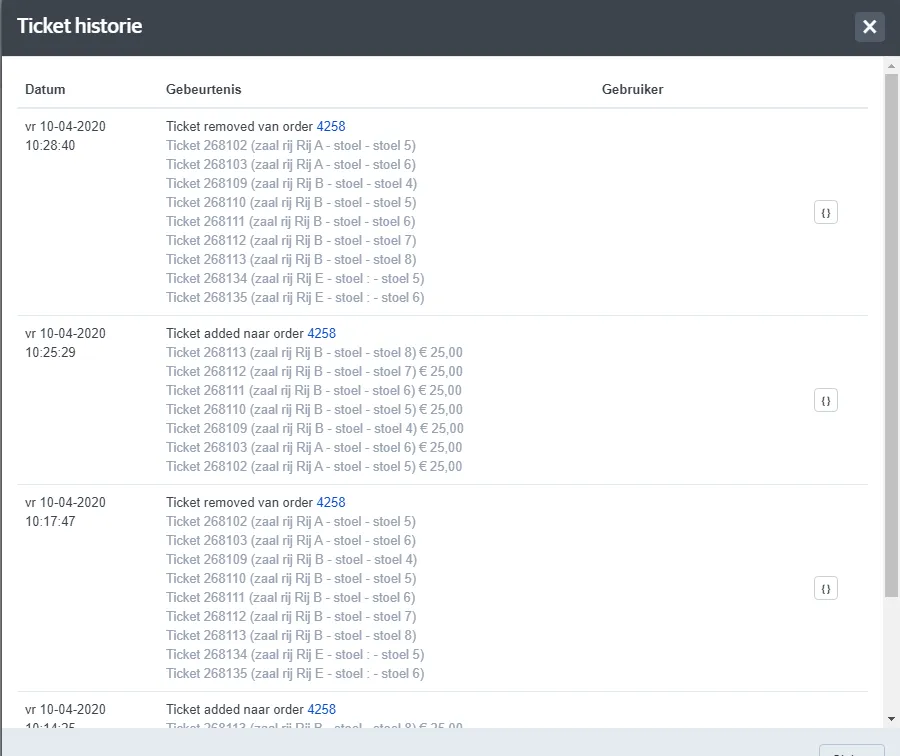
Viewing ticket history from an order
For sold seats, first open the relevant order. Then select the ticket and use Actions to open its history.
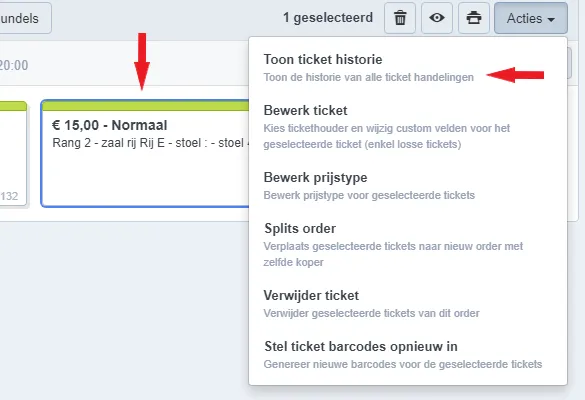
The following actions may appear in the ticket history:
- Adding, removing or moving
- Transferring to another order via order split
- Updating the price type
- Editing the ticket holder
- Scanning the ticket
- Delivering/Downloading the ticket
- Resetting the barcode
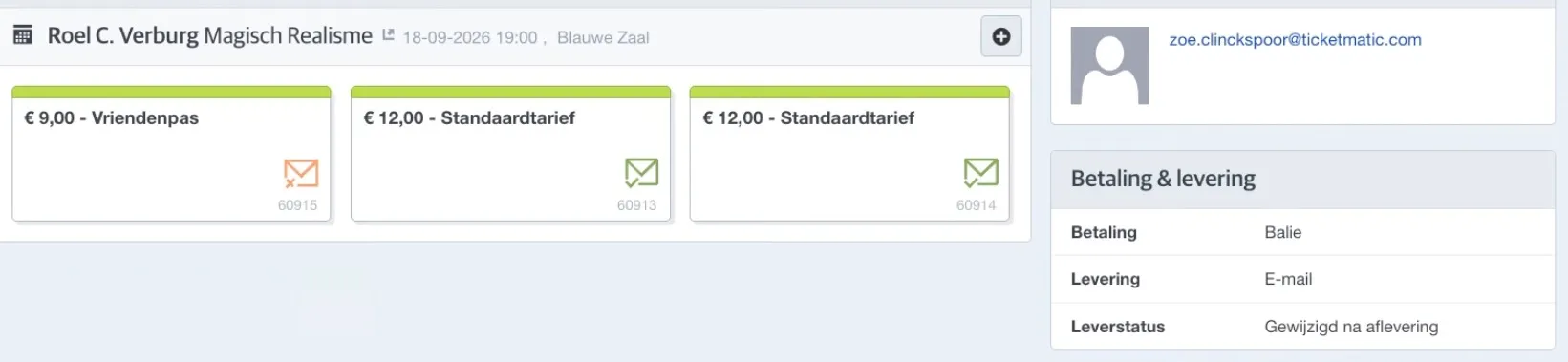
Sometimes you see icons with green or orange envelopes in an order:
These icons appear when changes were being made to a few tickets in the order and not all tickets have been deliverd by e-mail yet. On the right, under Payment & delivery - Delivery status, you will see the message 'Changed after delivery'.
- the green envelope means that an order e-mail was delivered for this ticket
- the orange envelope means that an order e-mail has not yet been delivered for this ticket.
If all tickets in the order have of have not been delivered, you will not see these icons.