Adjusting seat ranks for a numbered event
How do I configure an event with a seating plan with multiple categories?
You can set up multiple categories/sections on a seating plan if different pricing settings apply. This change can be made specifically per event.
Below is a description of how to set up multiple categories on a seating plan.
1. Adding seat ranks
First, create the necessary categories/sections. You can add them via Settings --> Seat ranks.
2. Linking a category to a price type
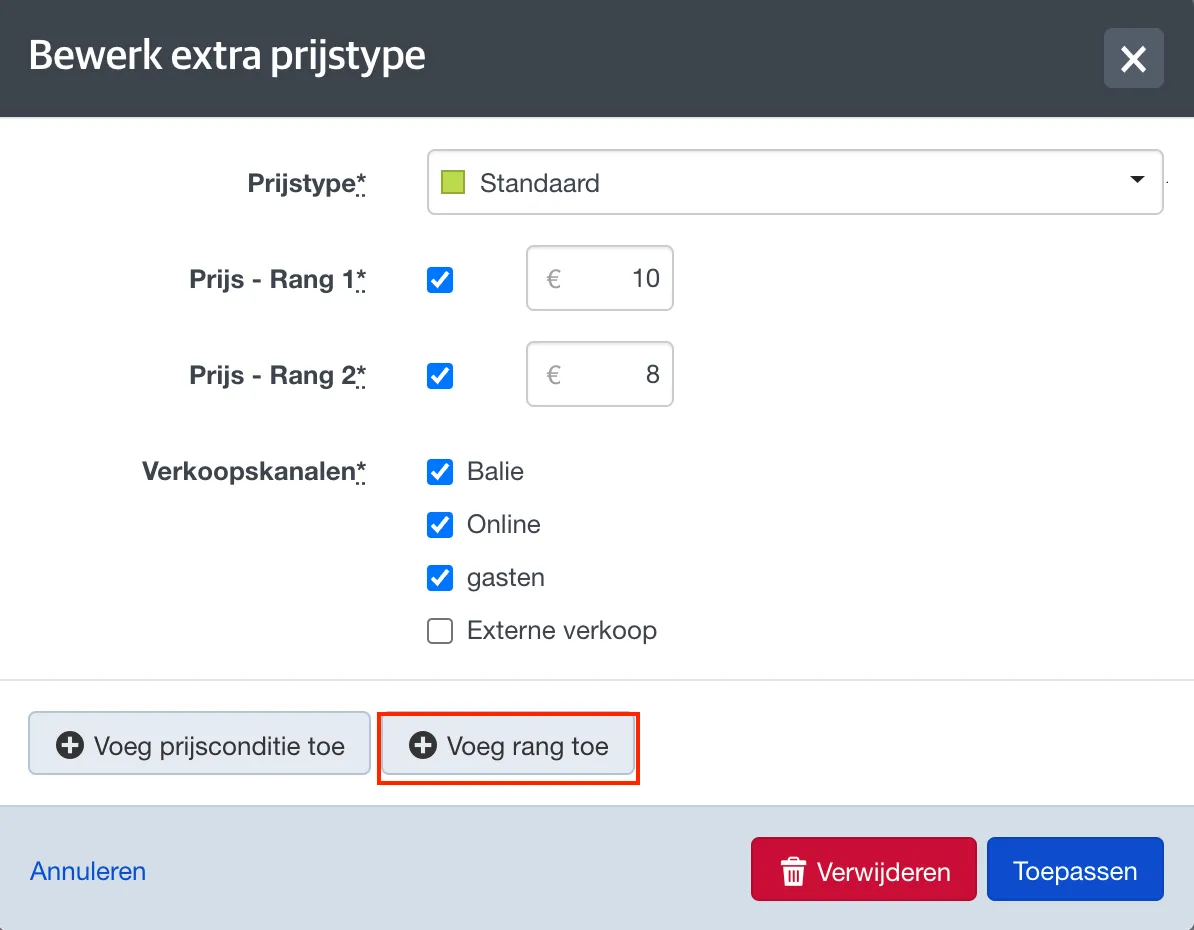
In the event's pricing settings, you can then add the desired categories to each price type. This allows you to specify which price types should be available for which seats.
3. Configuring categories on the seating plan
Via Settings --> Seating plans you can configure the categories for each seating plan. More information can be found here: Configuring a (new) seating plan
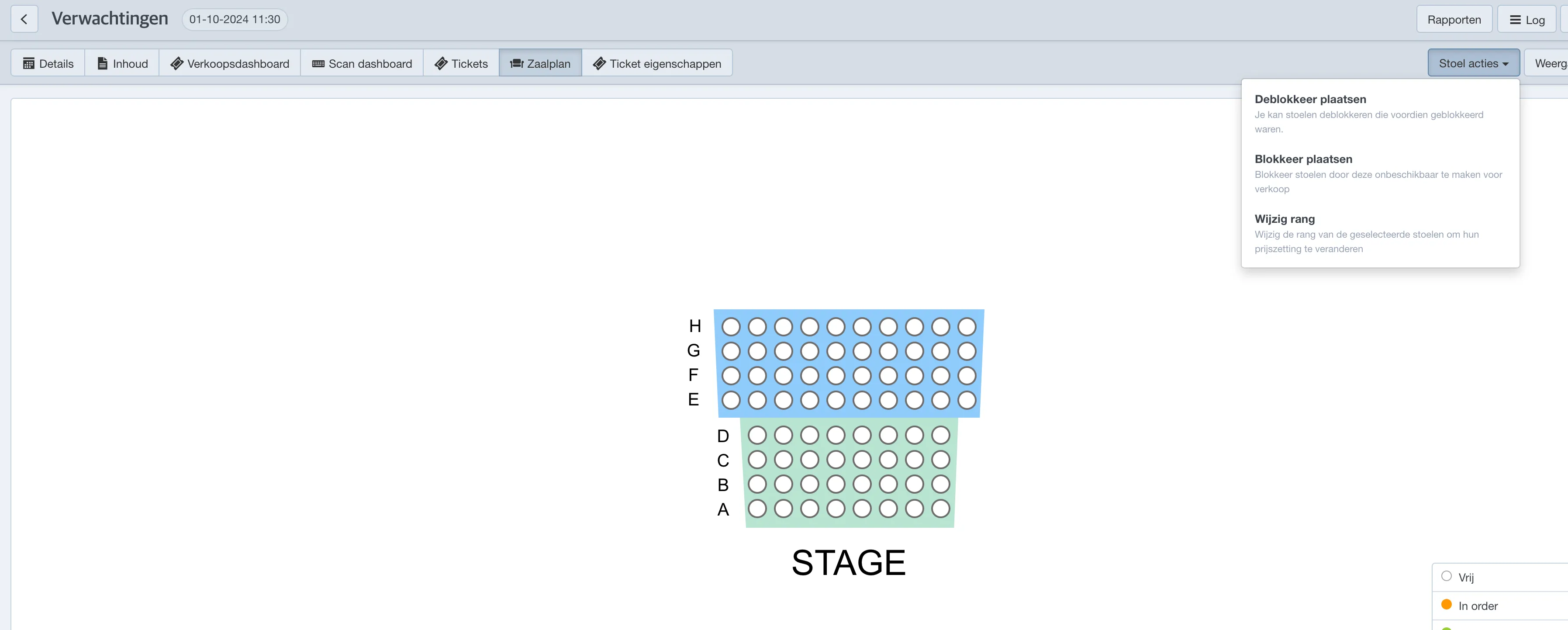
If a seating plan is already linked to an event, you can still adjust the ranks via the Seating plan tab of the event.
Open the seating plan in the event, then choose Seat actions --> change rank
Will you be using a specific configuration more often? It is advised to then configure these ranks in the settings of the seatingplan itself instead of per event. More information can be found here: Configuring a (new) seating plan