Waiting list
How do I activate and manage the waiting list?
When an event is (almost) sold out, it may be useful to activate the waiting list for this event.
Once the waiting list is active, no tickets can be purchased via that sales channel; the customer can only register for the waiting list. Therefore, it is best to activate the waiting list only when the event is (almost) completely sold out.
Activating a waiting list
You activate the waiting list in the event configuration, where you’ll find the Waiting list section.
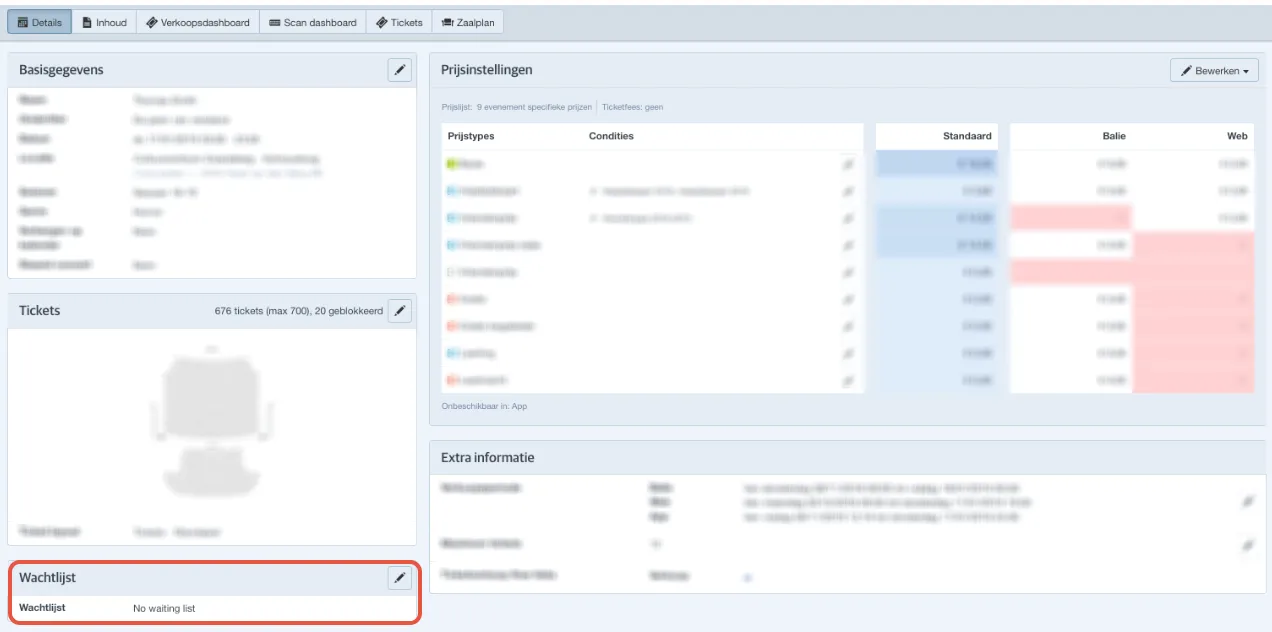
To activate the waiting list, you have three options:
- No waiting list: Waiting list is not active.
- Waiting list - no ticket info: Waiting list is active; only the customer’s contact details are requested. The customer cannot indicate a preference for the number of tickets or price types.
- Waiting list - full ticket info Waiting list is active; both the customer’s contact details and the number of tickets per price type are requested.
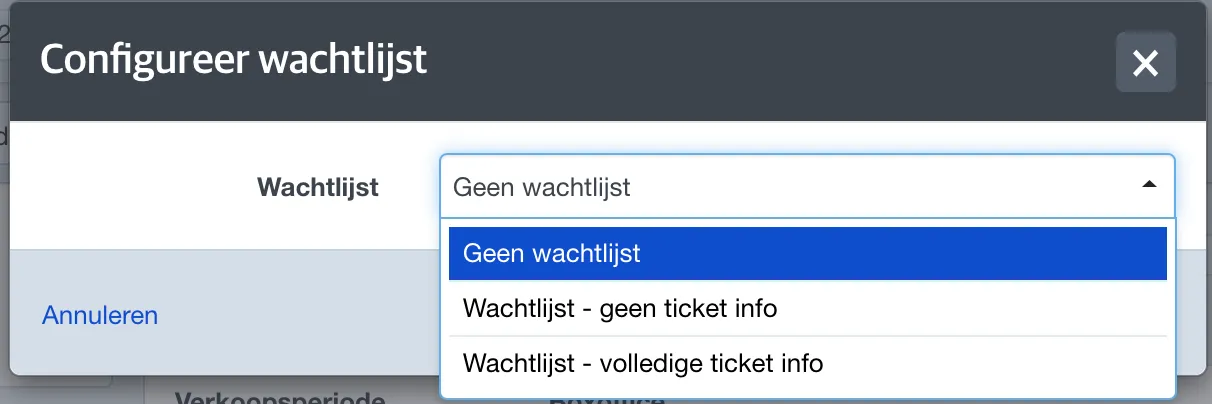
After selecting the type of waiting list, you can choose for which sales channels the waiting list will be active.
Certain price conditions are not compatible with the waiting list. When these are active, the price type will not be visible in the waiting list or a request cannot be converted into an order. These include: relation type, promo code, order threshold, multiple of, and voucher.