Price conditions
How can I refine the availability of a price type?
Adding price conditions
Price conditions allow you to define when a certain price is applicable. You can set these conditions in a price list or for a specific event price. It is possible to activate multiple conditions at the same time for one price.
Adding a price condition to price types in a price list
To add a price condition to one or more prices in a price list, follow these steps:
- Select the prices in the price list
- Click the Add price condition button and select the desired price condition type
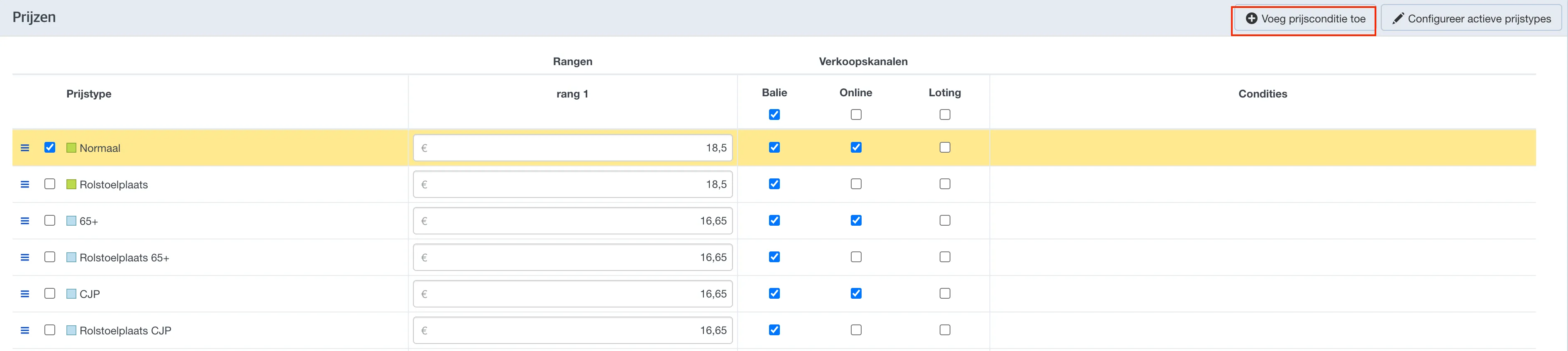
Adding a price condition to an event-specific price
To add a price condition to an event-specific price, follow these steps:
- Open the pricing settings in your event
- Click the edit button next to the price you want to modify
- Click Add price condition and select the desired price condition type
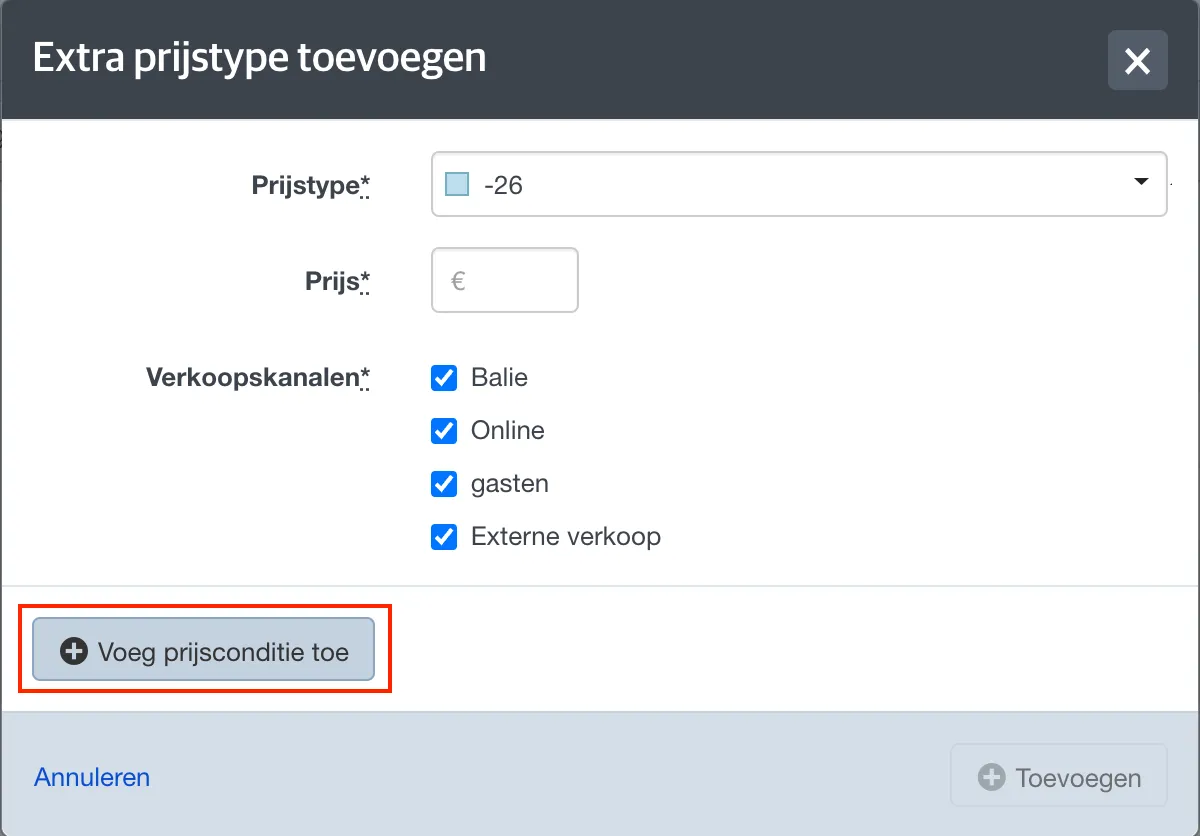
Types of price conditions
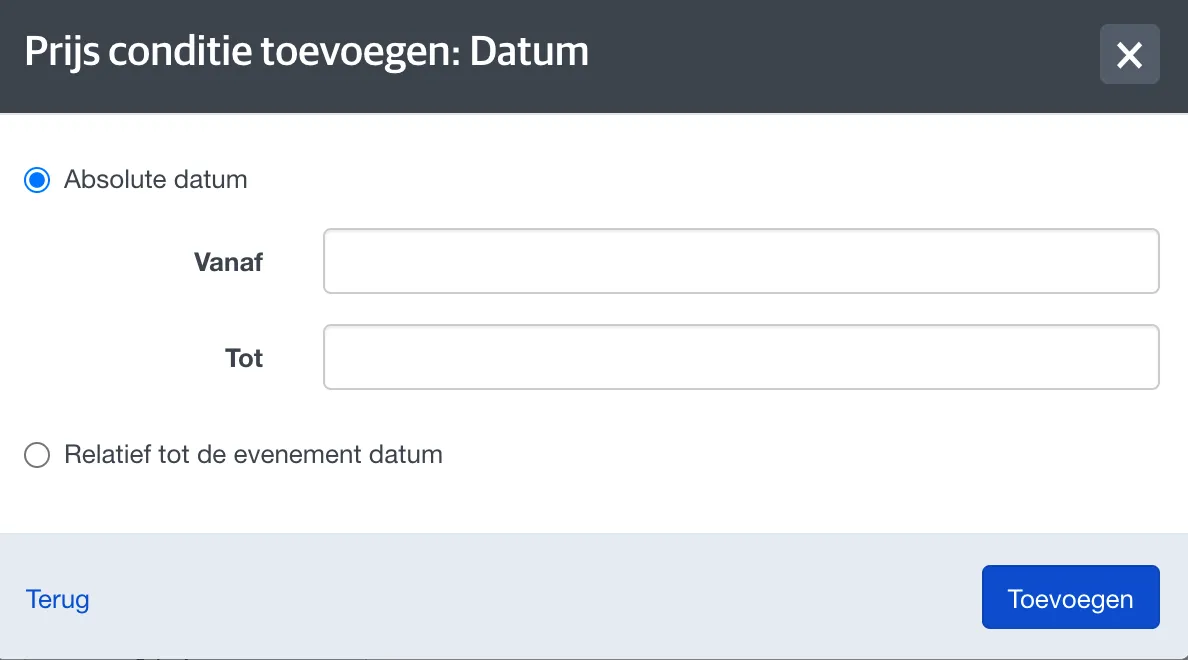
Price condition: Date
With the Date price condition, you can set a start and/or end date. The price type is only available within that period. This can be used, for example, to set up an early-bird or last-minute price.
You can set the date as fixed dates or as a number of days before or after the event start.
Price condition: Promo code
This price condition is only used in online sales channels. You can set up a promo code, making the price available only if the buyer enters this code when buying a ticket. The promo code can be any sequence of characters and is valid without limitation, so anyone who knows the code can use it. If you want individual codes that are limited in use, use voucher codes instead (see below).
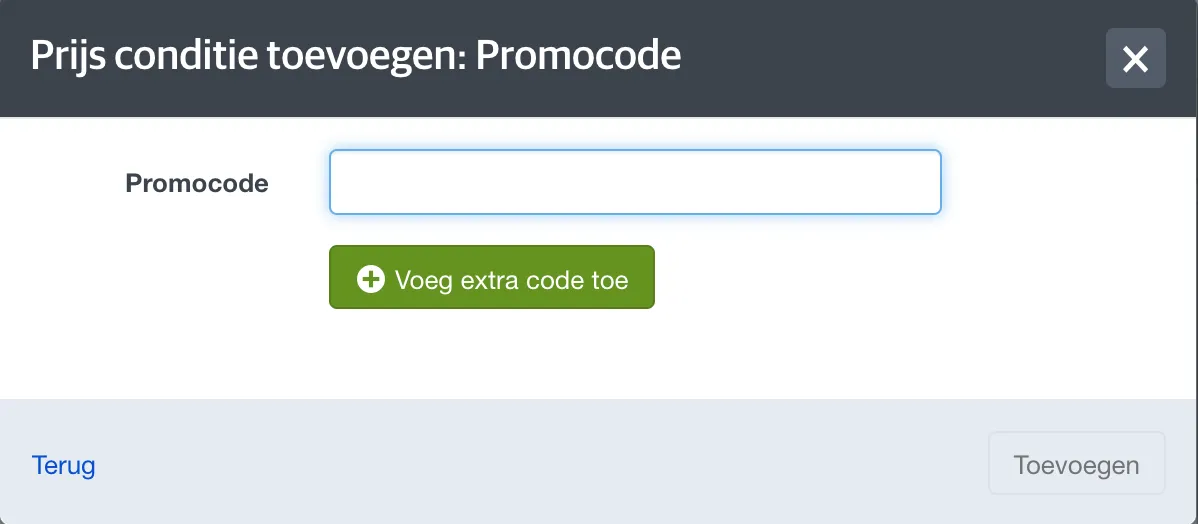
TIP: Promo codes are case-sensitive, so we recommend adding several variants of the same promo code to make it as easy as possible for buyers.
For example: If you want to use the promo code 'ticketmatic', add 'ticketmatic', 'Ticketmatic', and 'TICKETMATIC' as valid promo codes.
Price condition: Order limit
This sets the maximum number of tickets a buyer can purchase per order at this specific price.
Price condition: Order threshold
This sets the minimum number of tickets a buyer must purchase per order at this specific price.
This can be used, for example, to sell a group ticket. See the FAQ.
Price condition: Multiple of
This restricts the number of tickets a buyer can purchase per order at this price to a multiple of a certain number (e.g., 3, 6, 9, ...).
Price condition: Ticket limit
This sets the maximum total number of tickets that can be purchased for this specific price.
This can be used, for example, to offer 100 tickets at a discounted rate.
Price condition: Voucher code
You can specify one or more vouchers of the "Pricetype" type. The price is only available if the buyer enters a valid voucher code for each ticket, matching one of these vouchers. More information about vouchers can be found here: Setting up a voucher.
Price condition: Relation type
You can specify one or more relation types. The price is only available if the buyer has one of the selected relation types.
This price condition can only be used if the user is logged in when purchasing tickets.